How to Add a Custom Contact Form to Shopify
Shopify didn’t invent the wheel. The rudimentary concept for eCommerce is believed to have been created by English inventor Michael Aldrich way back in 1979!
Are you planning to or already host an online store on Shopify? Then stay with me because I’ll tell you how to create a Shopify contact form.
But not any plain contact form.
A fully responsive, automated, integrated, trackable custom contact form that ought to propel your business to rank among the best Shopify stores.
You might think that any generic static contact form will do just to fulfill the purpose of a Shopify Contact Us page. But we’ll go over why a top-notch contact form will enhance your Shopify store and contribute to business growth.
Contact forms by FormBuilder are easy to create and embed into your Shopify Contact Us page. Plus, powerful features and functionalities are ready to be unlocked so you can discover your buyer persona and improve your Shopify store.
What is Shopify
You have probably made an online purchase from a Shopify store and didn’t even realize it. After all, the eCommerce platform hosts popular online businesses like Fitbit, Penguin Books, Whole Foods Market, Fashion Nova, and Gymshark.
Even the Kardashians sell their beauty products, the KKW Beauty and Kylie Cosmetics brands, using Shopify.
Actually, millions of businesses worldwide rely on Shopify as their all-in-one eCommerce platform.
And it all started with their own business, an online snowboarding equipment store, back in 2006. Little did Shopify’s founders know that in their pursuit of finding their way through selling sporting goods online, they would trailblaze an entire industry.
Now a full-fledged eCommerce platform company, Shopify enables anyone, from anywhere, to start and grow their online business.
Shopify and Amazon
Shopify didn’t invent the wheel. The rudimentary concept for eCommerce is believed to have been created by English inventor Michael Aldrich way back in 1979!
And even though most of us would have thought that Amazon was the first eCommerce in the world, that title goes to Boston Computer Exchange. The company started to sell used computers online in 1982.
By the way, Amazon, which indeed started as a book eCommerce in 1995, now it’s considered an online marketplace. Great for those not interested in developing a brand or a storefront in order to start selling goods.
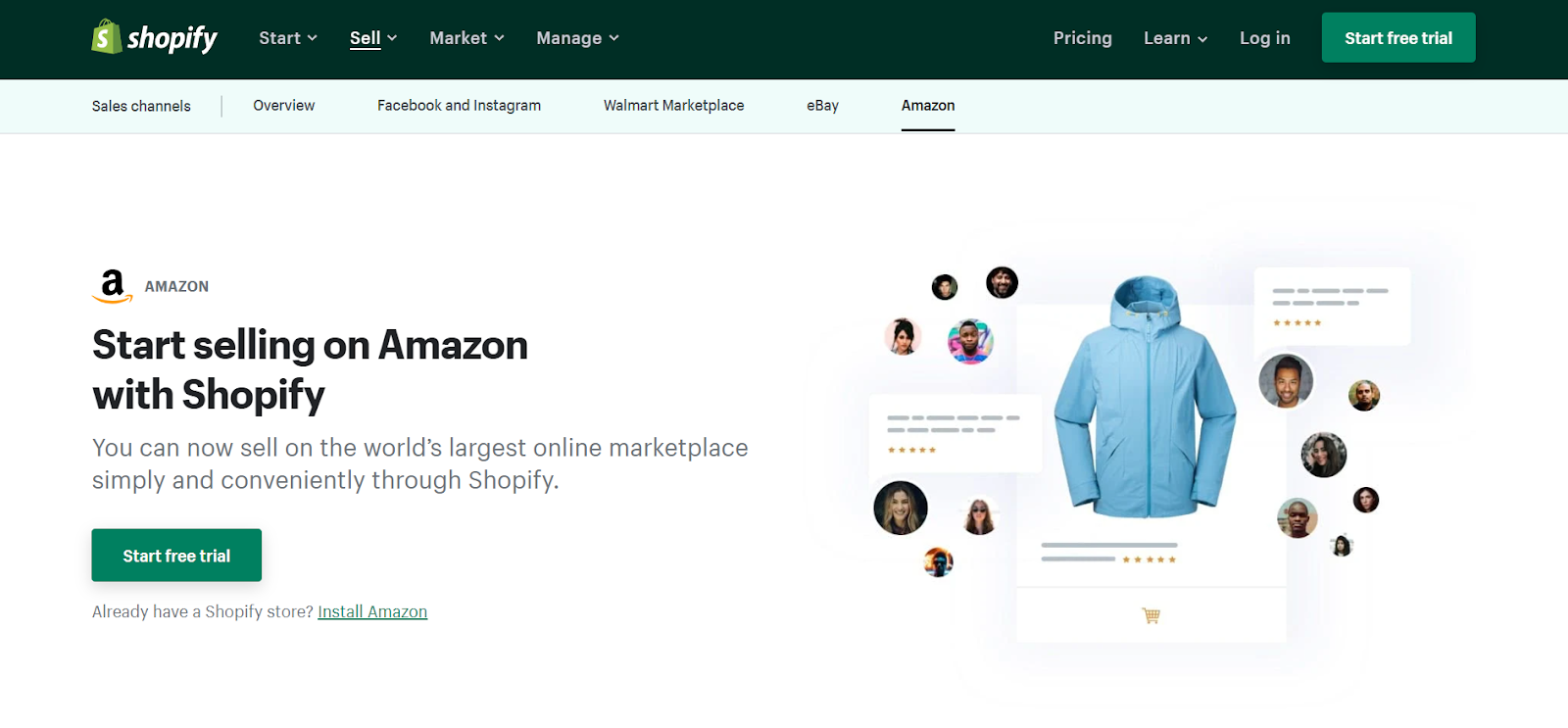
Whereas with Shopify, you have full ownership of your online store. And Shopify offers an Amazon sales channel, allowing its users to also sell on Amazon.
How Shopify Works
See, there’s a market and demand for everyone, for any size of business. And with that in mind is how Shopify works. Shopify eliminates the guesswork and red tapes in hosting an online store.
1. Sign up to Shopify
To begin, businesses need to subscribe to Shopify in order to gain access to their eCommerce solutions.
2. Choose a theme
Users can choose one of the many professionally designed Shopify themes to customize with its online store builder. Then users enable Shopify’s shopping cart solution to drive sales, ship, and manage their products.
3. Launch online business
With a “paint by numbers” kind of approach, users just need to follow the steps provided by Shopify and trust their expertise to launch an online business from zero.
Or move an existing physical store to the online arena. Even transfer an online business from another eCommerce platform to Shopify.
And for those dreading the online business environment and competition, you can even hire a Shopify Expert to guide you to become one of the best Shopify stores.
Why Open a Store on Shopify
According to Oberlo, new business applications in the US jumped by about 70% in 2020 compared to the previous year, and they have stayed well above the pre-2020 pace since.
We’re talking well over one million new business applications in a typical quarter.
A lot of those new businesses were started by people who decided to earn their income by selling their own products or services.
Furthermore, the business ownership trend is also rising due to the new consumer behavior of online shopping and how platforms like Shopify make it very easy to start an online store.
People are unshelving business ideas and displaying them to the world through Shopify’s shop window.
For as little as US$ 29 per month (the Basic plan on annual billing), you don’t have to worry about figuring out how to set up your own online store. That’s one of the4Ps of Marketing (as in “Place”) all sorted out for you!
Benefits of Hosting an Online Store on Shopify
At this point in the eCommerce era, it makes no sense to start from scratch as a self-hosted website and hire a developer to build your online store.
Setting up details such as website domain, backend and frontend development, online catalog, payment gateway, and so on, will drain all your money, time, energy, and creativity that could be better allocated towards improving the product itself.
Here’s the list of benefits of leaving it to Shopify:
Cost-effective
You would spend more money setting up all elements of an online store to properly work on your own than to subscribe to an eCommerce platform like Shopify.
Easy set-up
Quickly design your own store layout, add your logo, product images, info, etc., with no coding knowledge required. A basic Shopify store can take less than an hour to set up.
Server Security
Collecting payment information requires added security such as SSL encryption and Payment Card Industry Data Security Standard (PCI Compliance), all guaranteed by Shopify.
Mobile-Friendly
All online stores created by Shopify are mobile-friendly by default.
SEO-Oriented
Shopify offers added features to help you optimize your online shop to rank better by search engines.
Customer Support
Imagine having an eCommerce hiccup over a holiday? No worries, Shopify has 24/7 support to the rescue.
Abandoned cart recovery
Shopify tracks shoppers who leave items in their cart so you can nudge them back with a reminder email.
Payment Gateway
Users don’t need to deal with credit card operators since Shopify has settled that for them with over 100 payment providers, besides their own Shopify Payments, in partnership with Stripe.
Shopify App Store
Each business is unique and Shopify offers integrations to other apps in order to incorporate specific needs.
Scalability
The goal is always to grow your business and Shopify offers marketing tools to help you get there and features that allow handling increased demand without a hitch.
How to make a contact page on Shopify
Even if your business is home-based, Shopify will help you make it look like a professional establishment.
And an essential element to any well-established and trustworthy business is a good Contact Us page.
If you think there’s no need for an elaborate Contact Us page, or that it’s not even needed at all, well, better think again. Contact Us pages usually get more views than most other pages of a website.
A contact page is part of the package when you subscribe to Shopify using any theme.
So, providing contact information, like an email address or phone number, in case customers need to reach you is the very least you can do.
A Shopify Contact Us page is very easy to get created and it comes with a basic built-in contact form. Simply select the ‘Pages’ tab on the side menu of your Online Store dashboard, then click ‘Add Page’ in order to select a Contact Us page.
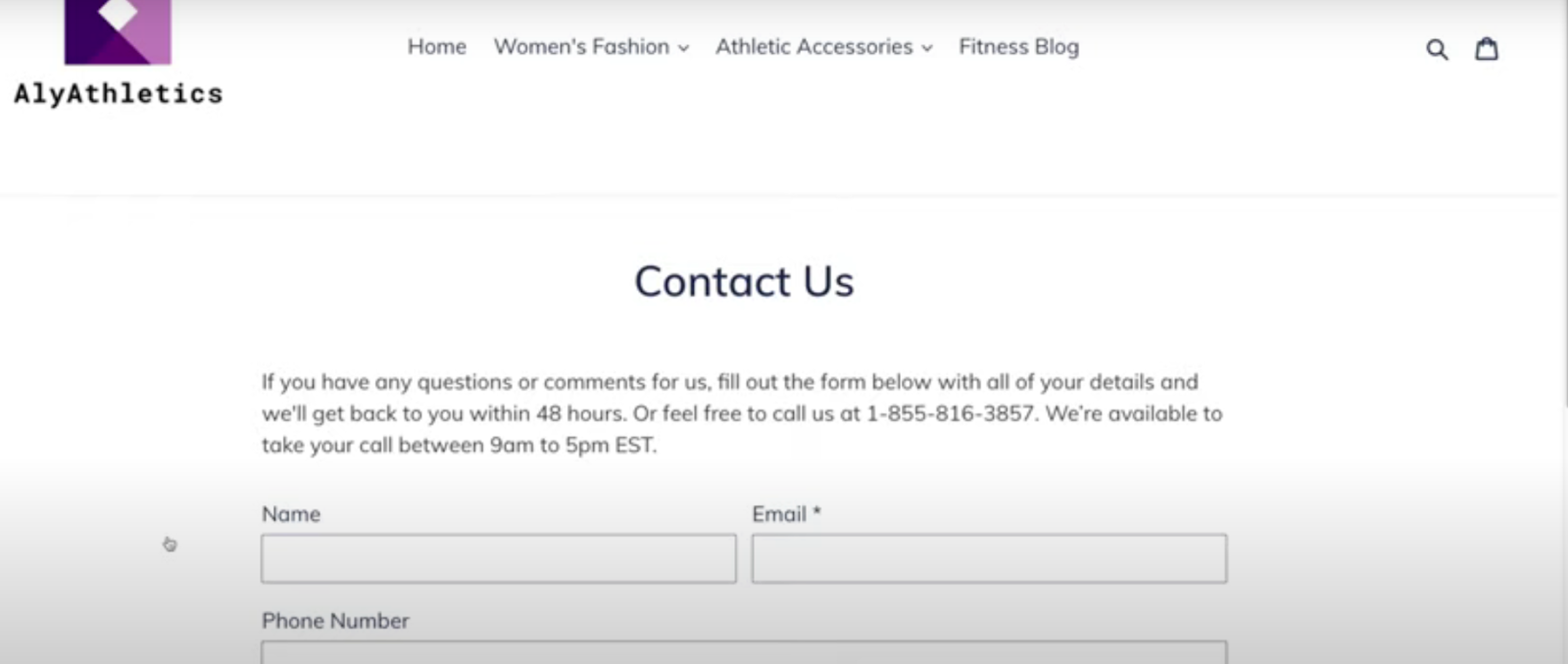
*Please note that all submissions will be automatically sent to the email address of your online store. If you would like to change the email address and the subject line or do more customization to your standard Shopify contact form, you’ll need a form builder like FormBuilder for that.
How to Optimize your Shopify Contact Us Page
In case you’re just looking for a quick fix and avoid spam, then setting up the standard Shopify contact form will be ok. Not great, but ok.
It will do the job of providing a communication channel to your customers, but it is limited to just that.
When you realize that the moment a customer filling out a form is another business opportunity, you will want a contact form that delivers more. And one that takes care of incoming submissions through automation.
Unlike generic contact forms, all forms by FormBuilder can be supercharged with further features and form automation. These are all aimed to save you time and money, and makes it easier to implement business strategies such as cross-selling and upselling.
The difference between a standard Shopify contact form from a FormBuilder form embedded in your Shopify Contact Us page is that you get a lot more resources to go beyond.
There is no app to install. A FormBuilder form embeds on any Shopify page with a short snippet, and this is how you can optimize your standard Shopify Contact Us page in three easy steps:
Step 1. Create a free FormBuilder account
Sign up for FormBuilder (the free plan needs no credit card) or log in to an existing account.
Step 2. Create a Contact Form
From the FormBuilder dashboard, create a new form either from scratch, from a template, or by describing it to the AI form generator.
In the builder, you’ll be able to add and reorder fields and select fonts, colors and a logo in the design settings.
Be sure to apply all contact forms best practices to your new Shopify Contact Form. Special touches such as a custom success page and email messages can make a big difference.
Further features and functionalities are also available on the side menu. We’ll explore them in detail ahead.
Step 3. Copy and Paste Embed Form Code
Once you’re done customizing your Shopify contact form, publish it, open the share options and copy the embed code. See publish, share and embed forms if you get stuck.
Now it’s time to paste the copied embed code to your Shopify Contact Us page. Go to your online store, open the page under the Pages menu, and click the ‘Show HTML’ (<>) button in the content editor. Be sure that the existing Contact Us page is selected or create one as explained in the previous section of this article.
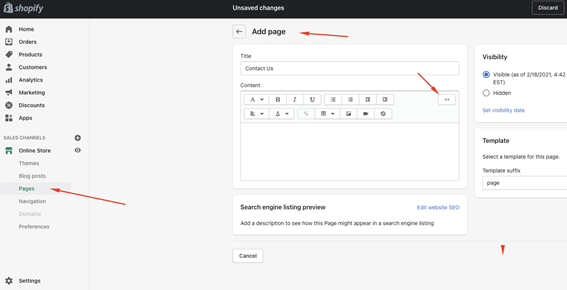
All you need to do is to paste the FormBuilder embed code where applicable. You can now save the page and view it online. Your Shopify Contact Us form powered by FormBuilder is now embedded in your online store.
What makes a Custom Shopify Contact Form
We promised you a top-notch contact form to put your business on the best Shopify stores list and you shall have it!
Now it’s time to explore the FormBuilder features and functionalities available in the builder. These add-ons will increase the efficiency of your Shopify contact form helping you focus on your online store growth.
Form Design & Branding
If the standard built-in contact form that comes with a Shopify Contact Us page is very limited, you can go all out with FormBuilder. Why offer a generic form when you can provide a custom contact form with your own logo to your Shopify audience?
Colors, fonts, background and logo can all be tailored to match your online store, and on the Pro plan the FormBuilder badge is removed. If you don’t know how to start one, FormBuilder has ready-to-go templates. Just style it as you want then embed it into your Shopify Contact page.
Notifications
You probably think that customers will only fill out a contact form on your Shopify Contact Us page when there’s an issue or complaint. But you might be surprised by someone complimenting your business or just need to clear any doubt before making a purchase. Regardless of the reason why people are reaching out, you want to be notified.
You can build your Shopify Contact Form with a dropdown field for the reason for contact. Not only will it help you screen the form submission, but you can set up an email notification to be sent to you or anyone in your team so it gets handled right away.
Thank-you pages and redirects
As mentioned, Shopify has a feature to recover abandoned carts. But the contact form is another chance to keep a visitor shopping. FormBuilder lets you set a custom thank-you page or redirect after each submission.
Send people back to your catalog with a coupon code, for instance, to encourage a purchase, or confirm by email that their message was received and when they can expect a reply.
Integrations
Running an online store takes a village. Your Shopify Contact Form by FormBuilder can be connected to other platforms to help you streamline your orders. For instance, automatically include any email address collected by your forms in your Mailchimp marketing campaign.
Perhaps your online store requires prior consultation in order to deliver tailor-made products or services. Easily connect your Shopify contact form to sync to your Google Calendar or set up a Zoom meeting with a client to go over details.
If you prefer, you can add a Stripe payment field to a form to take a deposit for a custom order, so no sales opportunity is missed by making customers click on other tabs. You can also connect your Shopify Contact Form to Shopify itself or to supply chain and inventory apps through Zapier.
Form Analytics
Knowing who your audience is will propel your business forward. That’s because you will be able to improve products, services, even your whole Shopify storefront by targeting your buyers.
Have your Shopify Contact Form collect more than contact info. FormBuilder gives you insight from Form Analytics to help you define your buyer persona.
Launching a business online has never been easier with Shopify as your eCommerce platform eliminating the guesswork. Reach new markets and efficiently collect client intake with a custom Shopify Contact Form by FormBuilder. Check the help center if you need a hand making your business one of the best Shopify stores.