How to Create an Online Application Form
Application forms can be used for more than just as a part of your business hiring process. You can use an application form to accept participants to your event, to let people apply for a vacancy at…
Application forms can be used for more than just as a part of your business hiring process. You can use an application form to accept participants to your event, to let people apply for a vacancy at your school or course, and even as a loan application form.
As the main use is for a job application form, most of our examples will follow this idea. Just keep in mind that you can apply the best practices and all of the tips from this article at any time you’re building an online application form for any other purpose.
With FormBuilder, your application forms can be automated to work on their own, besides, they can reflect your business identity, creating brand awareness. Register more participants for your webinar, or find the right person to complete your team using beautiful forms.
In this article we’ll go through what an application form is, how to build one, best practices to collect more leads and avoid form abandonment, and how you can use automation to maximize your forms results.
What is an online application form?
Any time you submit an application via the internet, you’re submitting an online application form. Companies like yours can use online application forms when hiring a new employee, for example, to collect relevant and required information about a candidate.
This can be a little scary at first since, so far, you have probably hired a programmer to develop and make your business website functional. But, the best part is, you don’t have to learn how to code nor pay for a designer or anyone else to build the forms for your website.
From contact form to your very own online application form, all can be built with a simple drag-and-drop system by FormBuilder.
So, if you need users to apply for anything to your business, all you have to do is build the perfect application form and start gathering applicant information.
Step by Step for building an application form with high completion rate
Step 1 - Sign up to FormBuilder
The first step is simple. Log in to your FormBuilder account or create a new one for free so you can have access to your dashboard and start building your first form.
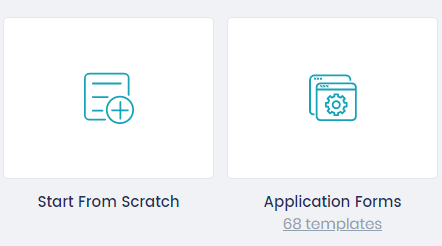
You can start building your form from scratch or select one of the several application form templates available for you to customize.
Step 2 - Drag and Drop fields
Select all the fields you need for your form, drag and drop them into your dashboard or click on the plus (+) sign right next to each field to add them to your form.
With all the fields you need on your board, it is time to resize them and set up each one in a unique configuration. You can edit the question, the help text, the options in case of multiple-choice fields, and whether each field is required.
If you would rather not start from a blank page, describe the form to the AI form generator and edit the draft it gives you.
For the upload file field, make sure you choose the extension and the size of the files that are permitted to be uploaded.
Remember to choose the right type of field for each kind of application form. A job application form will need different kinds of information from the user of an event application form.
Step 3 - Design your form
Change all the colors, fonts, background image, and layout, making sure that the form looks exactly as your brand identity.
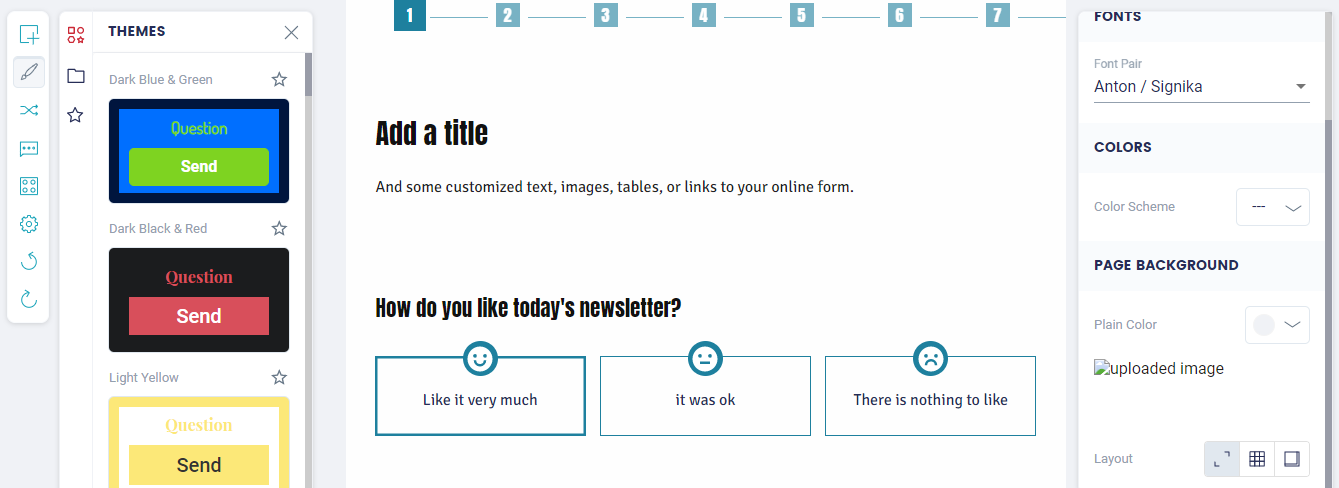
You can choose among pre-existing themes, or create your own.
Your custom theme will be saved so you can reuse it for future forms.
And, in case you change your mind about your last edit on how the form looks, all you have to do is undo the action.
Preview your form and test it to make sure it is what you need and want.
Step 4 - Add integrations and features for form automation
We’ll talk further about form automation to make sure your application forms function by themselves and help you perform your tasks.
Now it is just a reminder that you can add any form automation by integrating it with thousands of apps through Zapier, plus the native Google Sheets integration, webhooks and email notifications that FormBuilder has for your application form.
You can set up conditional logic to show the right questions to each applicant, and email notifications so the right person on your team hears about each submission. Through Zapier you can connect apps that help you with, among others, file storage, CRM, and event scheduling.
Step 5 - Share your application form
The last step is as simple as the first one - sharing your application form.
You can embed your form into your website, share it using a link, and share the form on social media. Schedule the form to close on a date if it is a limited offer, for example, and protect it with a password in case it is only for invited people, such as your staff.
To share the form you must first have it published. Make sure your spelling is correct and that all settings are working properly by testing the form yourself before sharing it.
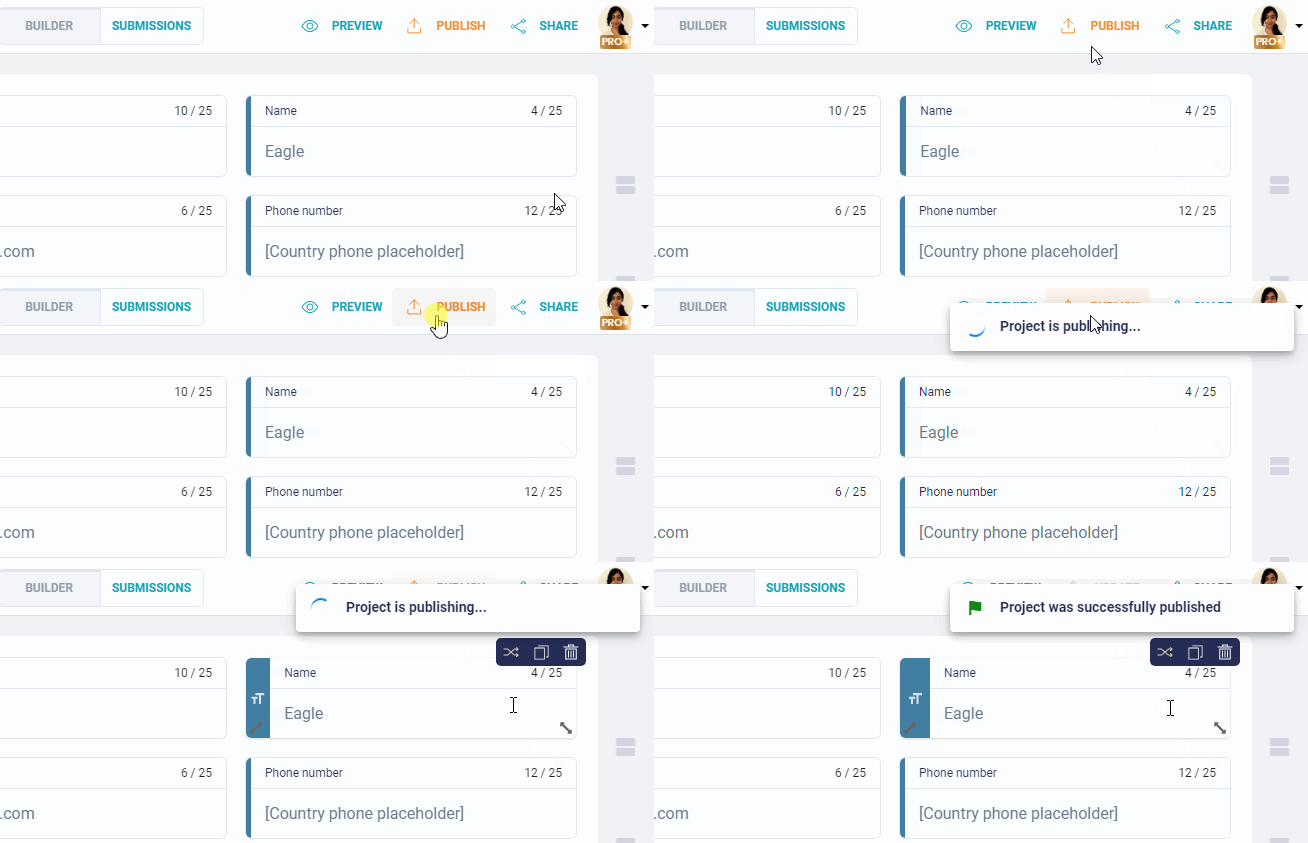
And there you have it, in just a few minutes, a functional and automated application form.
Application Form Best Practices
Building an online form is a quick and secure way to collect user’s information and data about candidates for a job position. And there are a few best practices to make sure you reduce your application form abandonment rate.
1. Be straight to the point
Don’t waste applicants' time with unnecessary questions or wordy statements. Being straight to the point helps you reduce form abandonment and guarantee all the essential information you need.
Your question can be short and direct, the applicants will certainly understand your request, you don’t have to describe with details everything you need from them.
2. Think about the information you need
Thinking about all the information and data you need before starting to build your application form is efficient and helps you create brief and direct questions.
If you’re hiring, you can ask for basic information, like name, email address, previous job position, and degrees. But you can go beyond and make questions that will help you decide among job applicants, like why they are pursuing a position in a specific area (IT, HR, Marketing, etc.), what are their differences, what do they believe they can add to your business, among other topics you believe are relevant.
3. Use personalization
Personalization is responsible for most conversions and definitely helps increase form submissions.
With conditional logic, you can show follow-up questions that match what the applicant already told you, so the form feels like it was written for them. A personalized thank-you page after submission does the same job. This kind of personalization distinguishes your company’s relationship with the respondent, compelling them to complete and submit your form.
4. Create an organized form structure
Your application form must follow an organized structure. My suggestion is for you to divide it into parts by topic. For example, have a section for personal information (name, email address, the preferred method for contact, etc.), another for education (degrees and certificates), and one more for work background.
You can do it using lines, multi-step forms, or adding headers.
One more feature you can use to keep your application form well structured is the Logic Rules (aka conditional logic). With logic rules, you make sure that each question is shown according to the previous answer, so respondents don’t have to answer questions not related to them.
5. Use automation
Speed up your processes and reduce the response time using form automation. You can make sure all your application forms are sent directly to the responsible team, using email notifications, and that all applicants are properly thanked for their time and application.
We are going to talk in-depth about some types of automation you can easily add to your application form by FormBuilder to make it work by itself, storing and organizing all data into folders and spreadsheets of your choice.
Online Application Form Automation for Better Results
Form automation is responsible for saving time and money for your business. And more. With the right features and integrations, you can guarantee all the talent and creativity of your team is well used for more important tasks when you automate boring and time-consuming processes, such as copy and paste data into spreadsheets. You can even automate your CRM process and make sure all your users are delighted.
Learn more about how automated forms can maximize your business processes.
Enable autocomplete fields
Sometimes people abandon your application form due to its length or even because it asks for some repetitive information.
You can avoid these two situations by simply enabling autocomplete fields. With just a few steps to set up, you can help the respondent fill out the form faster and increase the completion rate.
FormBuilder fields use standard input types, so the browser can autofill common details like name, email and phone for the respondent. You can also use webhooks or Zapier to send the data on to other apps once it is submitted.
Accept documents and files upload
In an application form, it is really common to ask for users to upload documents to go with their form submission. As an example, asking for the applicant to upload their Resumé into a job application form.
The most common question in these cases is: “where does the uploaded file go?”. Well, they are sent to where you believe to be the most suitable folder in an online drive or to a specific email.
You can connect your form to Google Drive or Dropbox through Zapier and have any file sent directly to your folder, maximizing your productivity and reducing the number of tasks you have to personally perform.
Create automatic Thank You messages
Personal, customized, andwell-structured thank you messages can make all the difference when you’re in the process of delighting and converting a new customer. In the case of an applicant, the proper thank you message can be crucial on how they are going to react to your business. It can help you select the perfect match candidate for your company, for example.
You can write a nice message, or redirect to a thank-you page on your site, to make it casual, as long as it is related to your business.
A thank you message is not only to delight the respondent, but also to confirm that their form was properly submitted, so they can be assured that everything went well and that you got their application.
Have access to submitted data from anywhere at any time
Your application form built with FormBuilder can be integrated into Google Sheets, where all data will be automatically sent and organized into your tabs and columns, making it easier for you to analyze the information.
With all data grouped into a spreadsheet, you can yet access it from anywhere at any time. So, even if you get a new application during your Sunday morning walk, all data will be sent to the spreadsheet and you’ll be able to check it when it is more convenient.
Form tracking and analytics
Keep an eye on your form’s performance with form tracking in FormBuilder. Form analytics show you how many people view, start and complete the form, so even when users abandon it you can learn how and where to improve your form.
All this data allows you to improve your form, making changes to it in order to increase the form submission rate.
FormBuilder is an easy-to-use form builder that more than just helps you create efficient and automated application forms. It also is an all-in-one intake platform, where you can collect and organize applicant’s data.
Try FormBuilder for free now and boost your business processes and performing tasks.