How to Use Google Forms to Collect Data
Wondering how to use Google Forms to collect data? This post covers how you can do just that in three steps while talking about some limitations to watch out for.

Google Forms makes it easy to collect data from respondents and store it inside Google Sheets. All you have to do is:
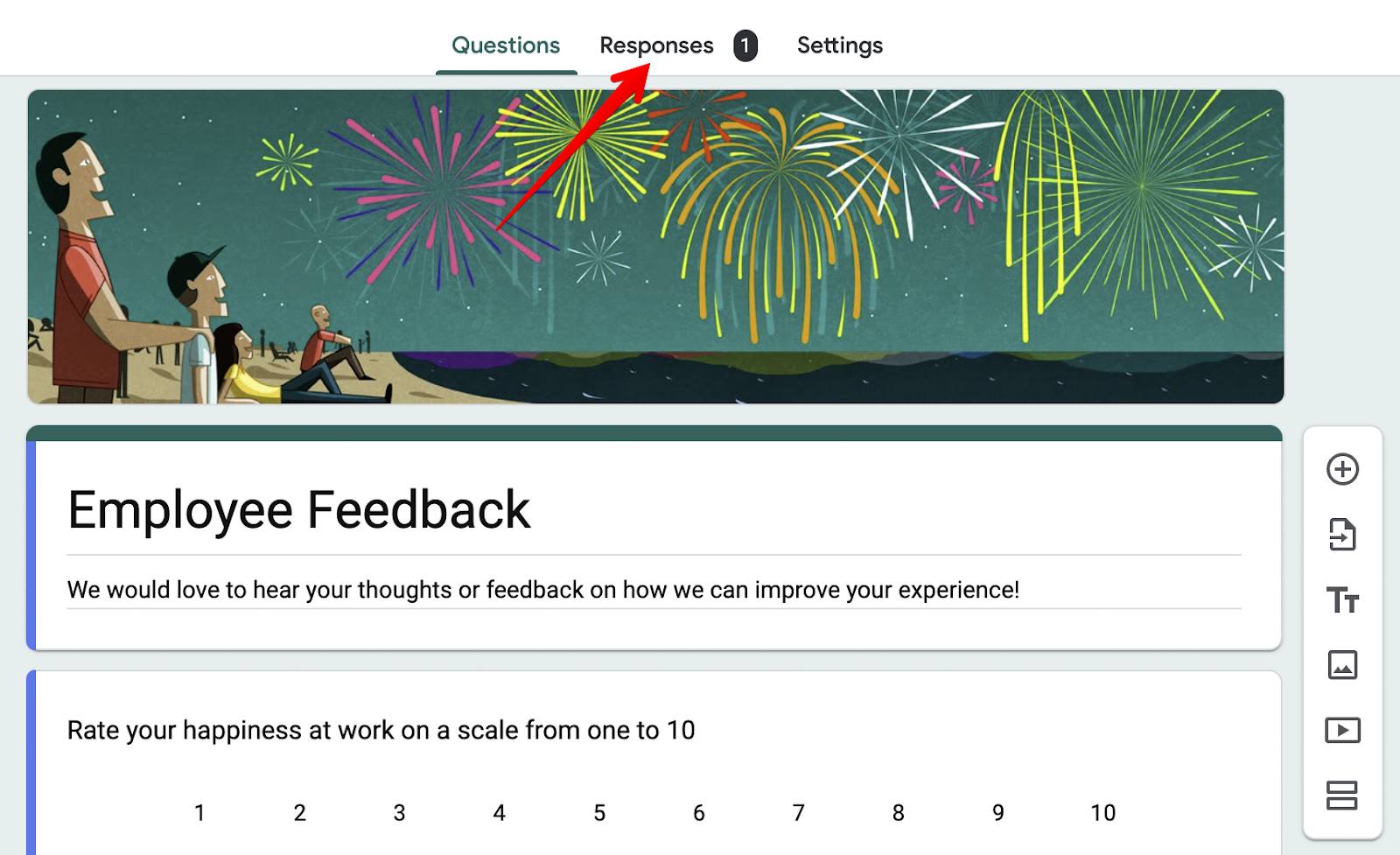
- Create a new form and click on the responses tab on top of your dashboard:
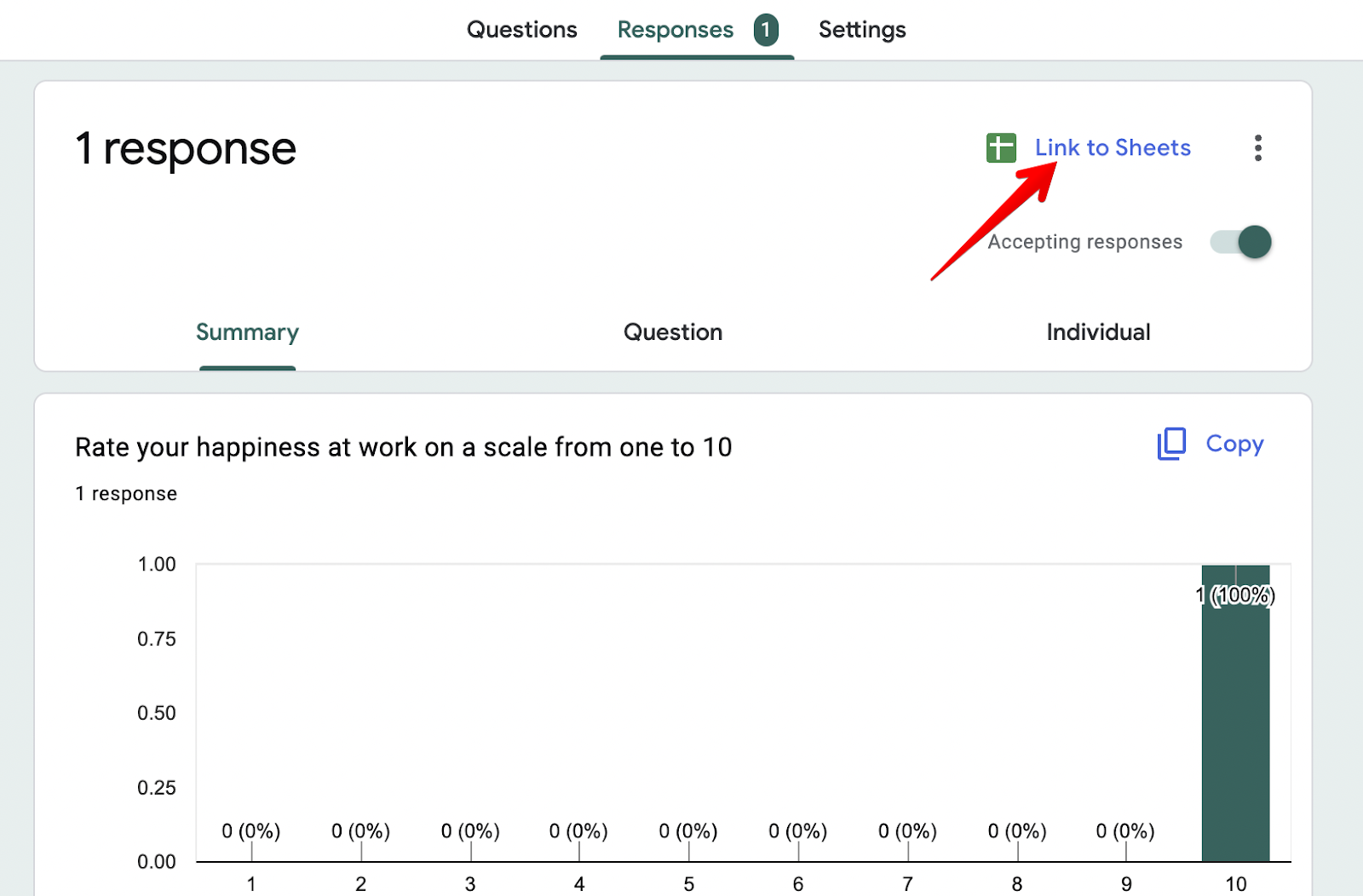
- Select the “Link to Sheets” button (or open the three-dot menu and choose “Select destination for responses”):
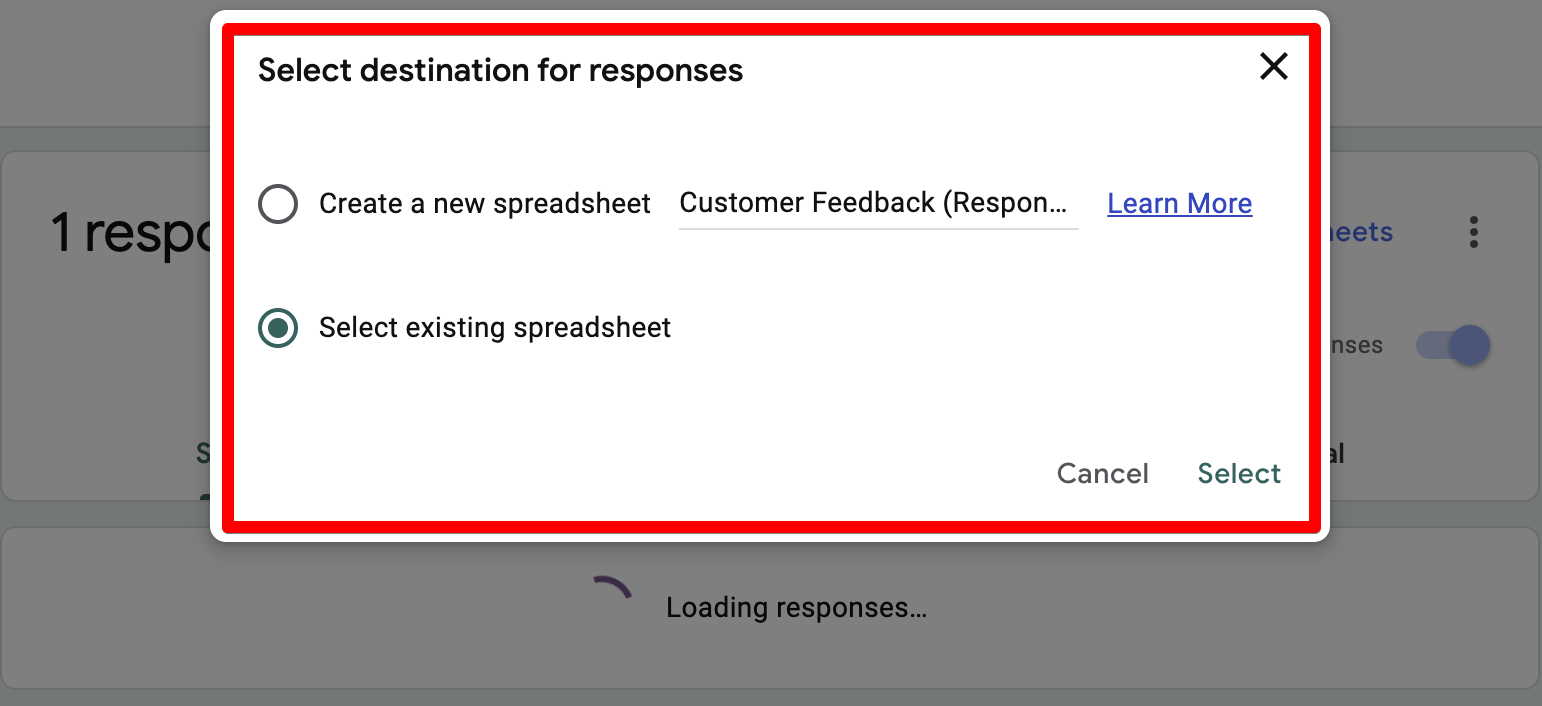
- Choose to either log new responses into a new spreadsheet or an existing one inside your Google Drive:
All the data that a user entered into your form will automatically go to your Google Sheets.
From here, create a form like you normally would by adding the types of questions you'd like to ask and sending it out to your respondents.
However, there are a few problems you have to watch out for when collecting data inside Google Forms:
-
The form analytics are very limited
-
You can’t collect payments
-
The logic and branching features are basic
-
The design options are basic and forms always look like Google Forms
These are major reasons why we built FormBuilder. We wanted to give users a safe place to collect data, including sensitive data, while accessing better analytics, payments and design tools, all at an affordable price.
This is how FormBuilder solves the four problems mentioned above:
-
You get form analytics that show views, submissions and completion rate
-
You can add a Stripe payment field to any form
-
You can show, hide or change questions based on a user's response
-
You can fully customize the design, remove the badge and use your own domain
Below, we'll dive deeper into how our tool, FormBuilder, allows you to accomplish more than Google Forms.
Note: If you’re looking for an affordable online form builder that lets you do everything from collecting payments to sending responses to Google Sheets, start free with FormBuilder (5 active forms and 100 responses per month, no credit card) and try Pro free for 14 days when you need more.
#1 Problem with Google Forms: The analytics are very limited
The biggest problem we faced when using Google Forms was its limited analytics. You can see a summary of the answers people submitted, but you won’t know how many people opened the form without answering, or how many started and gave up.
This is limiting when trying to improve form completion rates. You won't understand whether the form is losing people, making it very difficult to improve it.
How FormBuilder solves this: You can see how your form performs
Instead of only giving you a summary of the answers, FormBuilder gives you form analytics that show how many people viewed your form, how many submitted it, and your completion rate over time.
If a form gets plenty of views but few submissions, you know it is too long or asks for too much too early. Trim it, split it into pages, and watch the completion rate move.
#2 Problem with Google Forms: You can't collect payments
When collecting data with Google Forms, we couldn’t take a payment as part of the same form.
This matters for order forms, registrations, bookings and donations. With Google Forms you have to send people to a separate checkout, and some of them never come back.
How FormBuilder solves this: You can add a payment field
With FormBuilder, you can add a Stripe payment field to any form and charge a fixed amount or let the respondent choose. The payment and the rest of the answers arrive together as one response.
#3 Problem with Google Forms: The logic features are basic
Conditional logic refers to automatically changing questions based on user responses. This is helpful if you want to collect different information from users depending on their answers.
For example, let's say you're a physician doing a study on the overall health of the general population. Your first question could be, "Please select your gender," and depending on the answer, you can ask questions tailored to men and women.
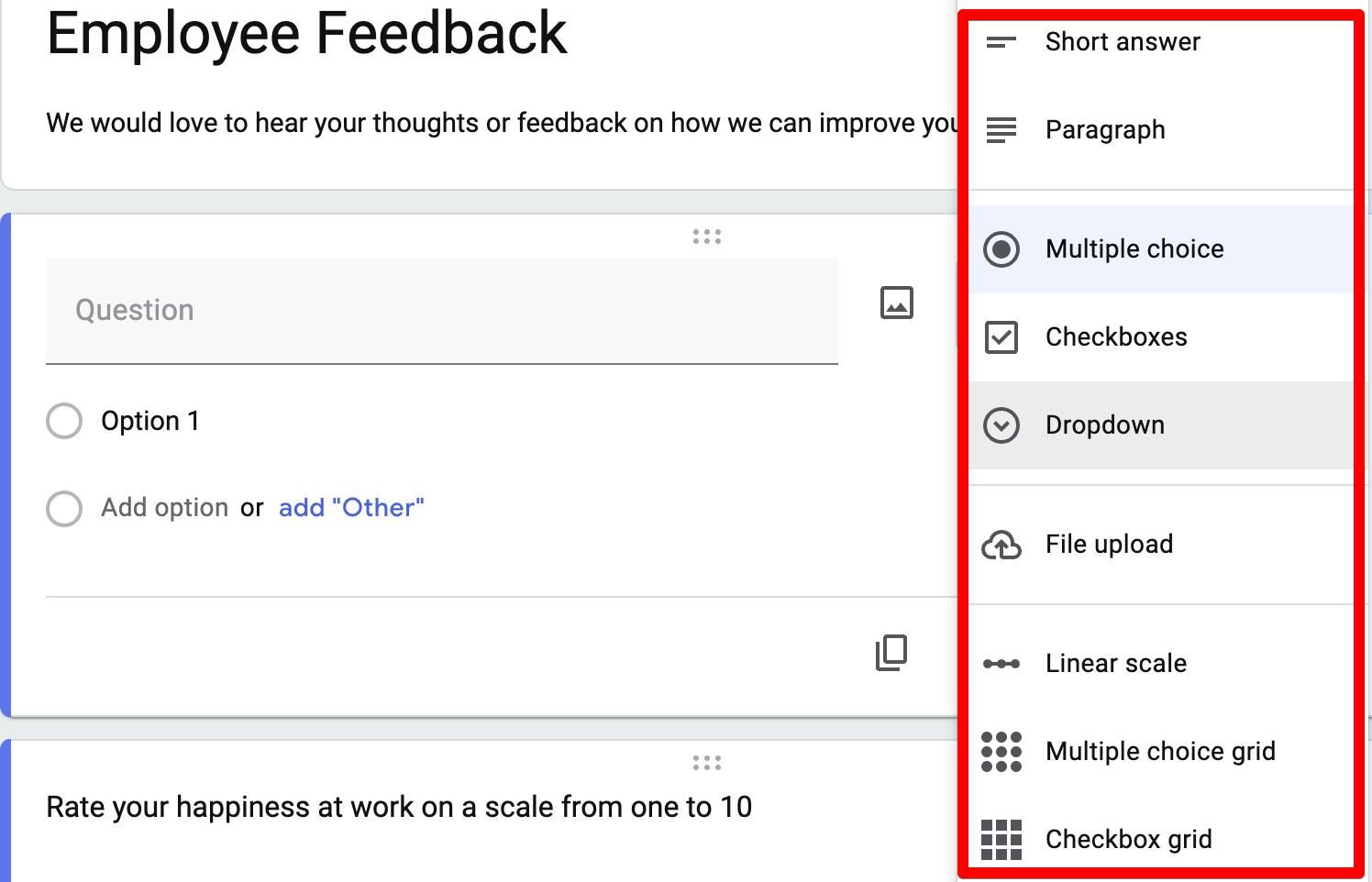
While Google Forms does offer some conditional logic and branching features, it's quite limiting because logic only works with “Go to section based on answer”, and only on Multiple choice and Dropdown questions. You have to separate each branch into a different section. This is fine if your form is short, but if you're connecting 10+ questions, this gets really time-consuming.
How FormBuilder solves this: You get field-level conditional logic
Unlike Google Forms, you don't have to split up questions into different sections. FormBuilder's conditional logic lets you show or hide individual fields based on earlier answers, and you can combine it with multi-page forms when you want a longer, step-by-step flow.
For example, say you run a pottery school, and students contact you via a form. If a student picks “glazing” as the skill they want to improve, the form can reveal the questions about your glazing class and keep everything else hidden.
#4 Problem with Google Forms: The design options are basic
Every Google Form looks like a Google Form. You can change the header image, the colour and the font, but you can’t match your brand closely, and the form always sits on a Google URL.
The best way to earn trust from respondents is a form that looks like it belongs to you, and that is hard to do with Google Forms.
How FormBuilder solves this: You control the design
To make forms feel like your own, FormBuilder lets you customize the form design: background, colours, fonts, images and the thank-you page. On the Pro plan you can remove the FormBuilder badge and publish on a custom domain.
To build one, all you have to do is create a new form inside FormBuilder, pick a template or describe the form to the AI generator, and then customize it.
Next steps
With FormBuilder, you still get a native Google Sheets integration, so every response lands in a spreadsheet the same way it does with Google Forms, plus payments, conditional logic, analytics and design control on top.
So, if you’re thinking about using a more advanced form builder to collect data from your users, start free with FormBuilder or read our FormBuilder vs Google Forms comparison.