What is Form Analytics & Why it Matters to Your Bottom Line
Form Analytics is all the detailed data that you can gather from your form submissions and respondents. Grow your business with the insight that you can get from form analytics, from fields with the…
Successful businesses don’t just luck out. They relentlessly improve their product or service, processes, and customer experience according to data analysis. And form analytics data definitely can provide insights beyond form performance.
Different from sales data analysis, online forms are for sure the most straightforward and voluntary method for collecting data, even before any purchase is made. Or it can tell you why you’re not selling as expected.
If the most basic form can reveal some information about your audience, imagine powerful automated forms by FormBuilder. Built-in form analytics and further integrations can transform your form into a true research department.
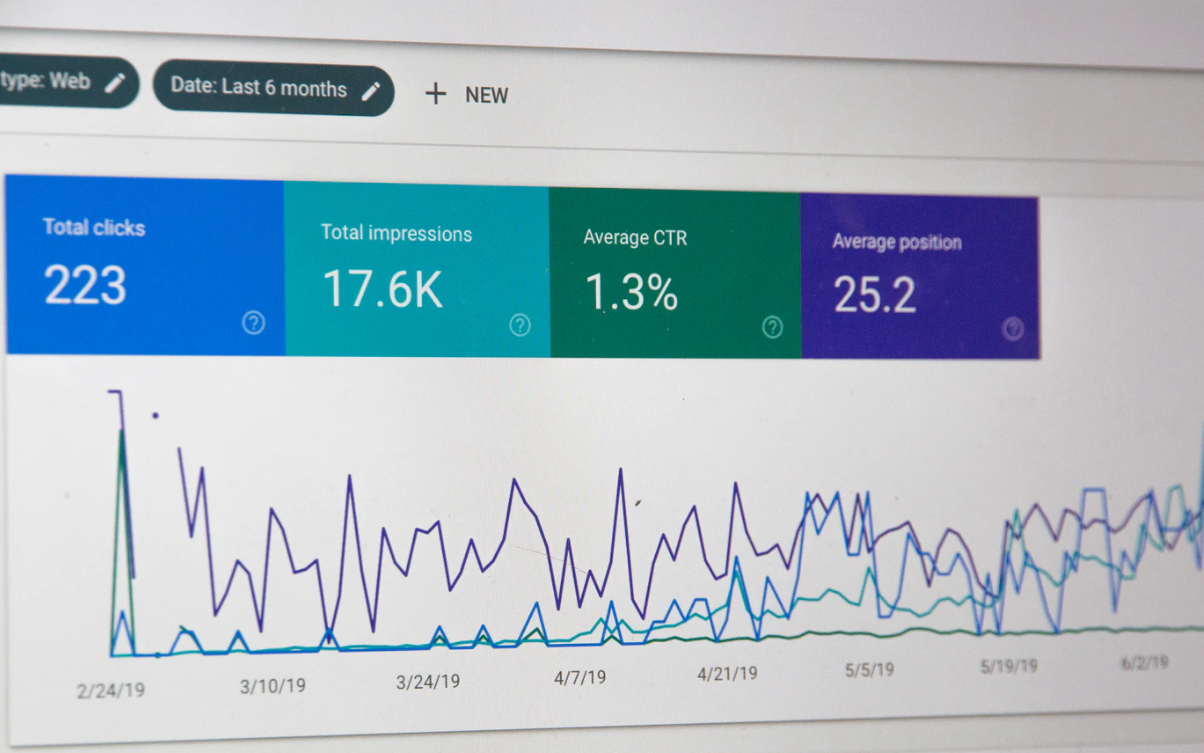
Form analytics that can tell which statistic indicates how often a click has led to a conversion, for instance, gives you a competitive edge. Form analytics might just be the missing link that unlocks business growth and revenue increase.
So, without wasting any more time, let’s go over what is form analytics and why it matters for your bottom line.
What is Form Analytics
Data analysis alone is defined as “the process of inspecting, cleansing, transforming, and modeling data with the goal of discovering useful information, informing conclusions, and supporting decision-making”.
While you can integrate your web form to Google Analytics, for example, that only helps in getting the big picture of how your business is performing in the digital world.
Therefore, we can say that form analytics is the narrowed and refined version of the broader data analysis but applied to the specific information collected from forms.
Form analytics can provide, just like the data analysis where it branched out from, raw data to validate the next course of action.
In general terms, form analytics is the performance scorecard of a form. More than finding out how many submissions you got, it can provide insight into how your visitor interacted with your form.
In that sense, form analytics can be considered a measurement or tracking tool, since it monitors every activity with your form, not just the input information given.
Form Analytics Data
There are many types of forms, like subscription forms, surveys, customer feedback forms, order forms, and so on. Each type of form will provide different or more insight from your audience.
The most common and omnipresent form for any website though is a contact form.
And even the simplest contact form with no more than three fields designed just to establish an official communication channel with visitors can be very revealing. Right off the bat, a basic contact form can provide the following metrics:
- how many visitors viewed your form
- how many visitors started filling it out
- how many visitors submitted it
- how many visitors abandoned your form
- the completion rate, that is, submissions as a share of views
All of this extracted quantitative data can and should be used to improve the form itself. The main purpose of form analytics is indeed to make the form more efficient at generating more leads.
Moreover, the reason why form analytics matters to your bottom line it’s because it can also provide qualitative data. Metrics like hesitation on a certain field or better reaction towards a background image or the color on a CTA button of a form are nuances that should also be observed and analyzed.
Anything that can be picked up from a form interaction is valuable data when it comes to creating the most frictionless experience for as many people as possible.
3 Top Benefits of Form Analytics
First and foremost, online forms are employed whenever collecting information is needed. So, getting any response back is already a positive outcome.
Form analytics can stretch that mission and grab any other non-written information about the respondent. As mentioned before, quantitative and qualitative data.
Yay, you got an email address submitted, but how long did it take the respondent to give you that information? What if you could influence people to fill out a form faster? What if you could get more people to do it too?
That’s how useful form analytics is. It provides data about respondent’s behavior towards your form. This data can be analyzed and then translated into specific actions aimed at optimizing your form.
Optimized forms by form analytics result in a better user experience and conversion increase. Simply because the optimization process was based on actual user data and not guessing.
Here’s how form analytics can be most helpful. The three top benefits businesses can achieve from form data:
Reduce Form Abandonment
Considering that more than 80% of people abandon a form after beginning to fill it out, then it is only logical to tackle this pressing issue first. Form analytics can give you clues about the reason why people got interested in filling out your form but decided to drop it. Security concerns, form length, and mobile responsiveness are the top reasons for form abandonment and all preventable and easily fixable.
Reduce Incomplete Forms
In most cases, getting an incomplete or partial submission is just as frustrating as no submission at all. Forms analytics provides user behavior patterns to help identify pain points that make people skip a field. Maybe it’s an optional field that could be required, maybe it’s form length that could be reduced or shown in a less tiring way. Or even the output text field wasn’t clear enough. Form analytics can help you come up with ways to ensure 100% completion on your forms.
Increase Lead Conversion
If you’re hosting an event, for instance, then your event registration form must convert as many attendees as possible before the actual event date. Or if you’re selling perishable items, then you better see submitted order forms soon before products spoil. Form analytics can direct you towards most converting forms, especially if you run an A/B performance testing. You can act fast to rearrange your form to ensure it yields maximum results.
Form Analytics by FormBuilder
If improving your form according to proper data to increase conversions is already huge, form analytics can go beyond the form realm.
Combined with the responses themselves, form analytics can even back up wide-ranging business decisions, like product/service improvement, pricing adjustment, issues management, and much more.
Form analytics provides data, which in turn provides insights and knowledge. How you’ll use this knowledge is up to you. But it has never been this easy to dig up information about users’ engagement, even some they are not even aware they are giving away.
Bounce rate data is just the beginning of form analytics. Let’s see how FormBuilder can transform your form into your very own intelligence agent.
Preparing the Ground for Form Analytics
It all starts with creating your own custom form from scratch or from one of the ready-to-go templates and then enabling further capabilities.
Since all forms by FormBuilder are fully customizable, you can already hit the ground running by building yours based on proven ways that increase conversion.
Taking advantage of general knowledge and best practices about best form performance will save you time even before you start collecting data from it.
And because placement and the overall design also impact conversion, your website or landing page should be optimized as well. Make sure to follow the best web design tricks to where your form will be embedded in order to encourage lead generation.
Form Analytics Settings & Solutions
Now that your form is created and pre-optimized, it’s time to explore all form analytics possibilities offered by FormBuilder.
At the same time, you have available features and functionalities to turn your form into a form analytics tracking tool, you’ll also find solutions for most conversion hiccups and holdups.
1. Form Analytics Tools
Built-in form analytics
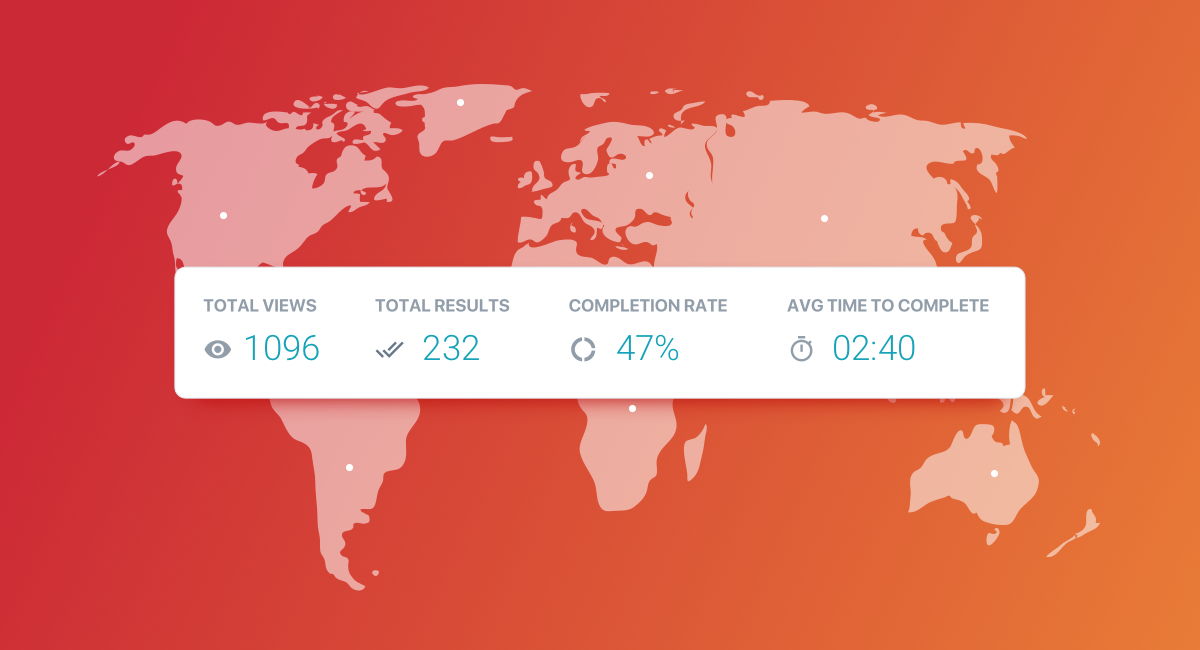
As soon as a form by FormBuilder is created and published, its tracking begins. From the dashboard, select which form you’d like to check out and open its analytics. You’ll be shown the following raw quantitative data:
- Views (how many times your form has been seen)
- Starts (how many visitors began filling it out)
- Submissions (number of completed responses)
- Completion rate (percentage of how many times a form has been submitted out of total views)
The responses themselves are listed alongside. You may check each result individually, export all the form submissions as a CSV file, or delete any entry.
Reading the numbers
The gap between views and starts tells you whether the form is inviting enough to begin. The gap between starts and submissions tells you whether something inside the form is scaring people off. Compare the numbers before and after a change and you have a simple, honest A/B test.
Suppose completion drops after you add a phone number field, now you know that’s scaring people off and you can decide to delete this field or leave it optional. Perhaps it’s a survey question that needs to be clearer. Or if people are abandoning your payment form at the checkout, maybe you’ll need to reconsider your pricing.
PRO Tip: If you’re running a full-scale marketing campaign, add Google Analytics or Google Tag Manager to the page where your form is embedded, and use the thank-you page redirect as a conversion event. Expand form analytics and track the ROI of your marketing efforts by easily identifying submissions from a specific campaign. Our guide on tracking your forms walks through the setup.
2. Form Analytics Solutions
Custom Form Design
FormBuilder offers full customization of forms without any coding required. This flexibility will empower you to build your form exactly as needed. If form analytics tools are telling you to resize or reposition any field, just drag and drop them around. If colors turned out too dull or font too little on a small screen, easily switch them up. You can actually design two forms for A/B testing and see which one performs better.
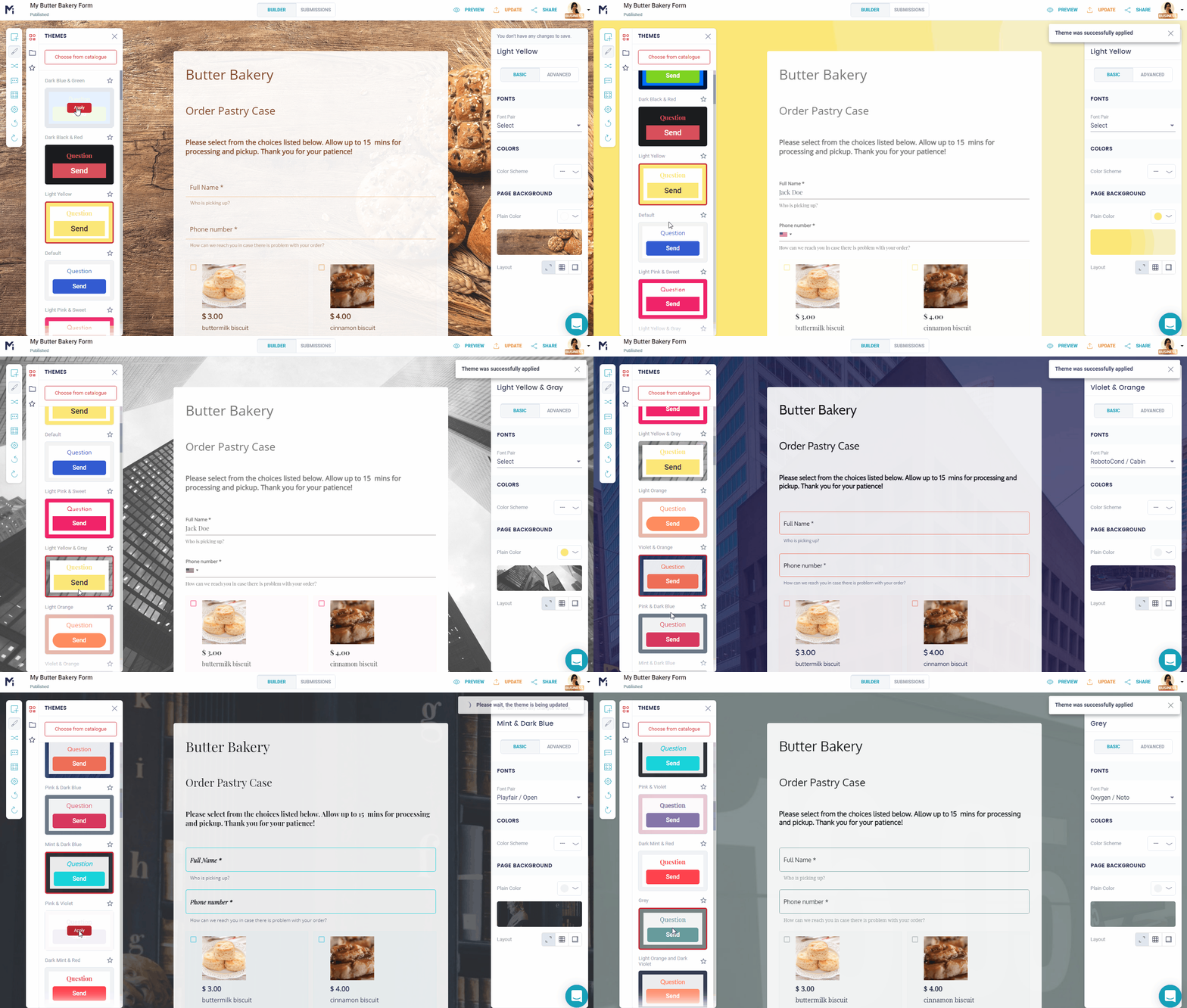
For clear instruction, add a description to each field so users know exactly what to enter. Dios mío, you can even provide a translated copy of the form for each language, if you found out through form analytics that you have a multilingual audience.
Conditional logic and multi-page forms
Fight abandoned forms head-on with conditional logic. If form analytics is showing you form length is an issue, conditional logic can make it more dynamic. You can show or hide questions based on earlier answers, and split the form into multiple pages so each step feels short. Basically, this neat FormBuilder functionality allows you to create multi-step or conditional forms to increase lead conversion.
Autosave and resume
If form analytics is showing you that people are dropping off your form randomly, maybe it’s a sign they were prevented from finishing it. FormBuilder saves answers as people type, so when they come back they pick up where they left off and can submit the form whenever it’s most convenient for them.
Integrations
FormBuilder provides form analytics and solutions to improve your form, but also, seamless integrations to other platforms. Automatically send your responses to Google Sheets, for specific data managing and modeling.
From a spreadsheet you can pull your submissions into Looker Studio and elaborate form analytics data into functional reports and presentations to clients or superiors. Get your sales team on the same page by connecting form data to Pipedrive, HubSpot and many other options through Zapier.
Final takeaway
Form analytics is more than just bounce rate and matters just as much or more to your bottom line than the actual submission. You can rely on FormBuilder to show you how your forms perform, so every change you make is backed by data!