How To Embed a Form in an Email To Increase The Submission Rate
Put your form right in front of your subscribers. Add your form's choices as buttons in your email campaigns and boost your conversion rates by making it faster and easier to get submissions.
Do not despair if you’re experiencing a low submission rate from your form. There is a neat way to encourage form submissions: put a form field, not just a link, in the email itself.
You read that right. I’m not talking about burying a form link at the bottom of an email. But rather, presenting the key question from your form, with its answer options, within the context of your email message.
If your customers are not going to your website to fill out your form, let the form go to them!
By offering a convenient alternative to access your form, like embedding a choice form field in an email, you’ll increase the response rate and enhance the customer experience.
But even if a low submission rate is not the issue, embedding a choice form field in an email can be a marketing strategy on its own too!
It can also be a great option for time-sensitive projects, when you need a faster turnaround of form submissions, like an RSVP form.
Allow me to show you how easy it is to embed a form field in an email and why you should do it.
What is Submission Rate and How to Increase It
There are many reasons why you need to include a form in your customer communications strategy.
Whether it’s for feedback, survey, poll, service request, orders, booking, and so many more other purposes, the goal will always be a high return rate.
A form submission rate, also known as response rate, return rate, or conversion rate, basically means the total number of times a form has been submitted.
We won’t say having a 100% form submission rate is impossible, but let’s face it, it’s very unlikely.
Realistically speaking, the expected average for form submission rate is something between2.35% to 5.31%.
Depending on your industry or your goal, that average rate should be fine. But if you’re trying to sell seats for a workshop, for example, that rate would represent a rather empty room.
So, no matter the case, you can and should pull all tricks out of a hat that helps to increase the submission rate.
How Can You Increase the Submission Rate
From your end, you’ll do whatever is possible to ensure that people fill out your form and click on that coveted submit button.
You can make sure your form is optimized, responsive, and mobile-friendly, customize its design, correctly position it on the page, come up with the best copy for your value proposition, among many other proven ways you can boost a form performance.
But what if people don’t even bother to check it out? Or are they unaware of the existence of your form? Then, it is time to take a bit more of a proactive approach to increase your submission rate.
FormBuilder offers many features to increase your submission rate, like conditional logic, multi-page forms, autosave so respondents can leave and resume where they left off, and a fast, mobile-friendly design. But those only work once your customer or respondent is actually on your form already.
That’s why putting a form field in an email is so effective. You get to ask your audience the most important question from your form point-blank in an email!
How to Publish and Share a Form
We’ve come a long way from paper forms being manually filled out. Perhaps you’re not old enough to know how limiting and cumbersome that was for both ends.
If you were the one collecting responses, you would need to convince people to physically go somewhere to fill out a form.
But suppose you were popular and people didn’t mind the distance to get to you. Then your next problem would be tally all forms turned in.
Oh, nevermind the archiving nightmare and Lord forbids if one filled out paper form would disappear. And we all know how slow manual counting is (aren’t paper voting ballots some kind of a paper form?).
I’m only reminiscing about the old days so we can appreciate how easy, safe, and convenient online forms are. From just some means to collect information, online forms have now become a reliable lead generation tool.
As online forms kept evolving, we’ve seen form builders like FormBuilder enable anyone to create a form without any coding required. Powerful forms too, with automated features, notifications, integrations, and data analysis.
If online forms are now easy to be created without the need to hire a developer, it is even easier to have them published and shared.
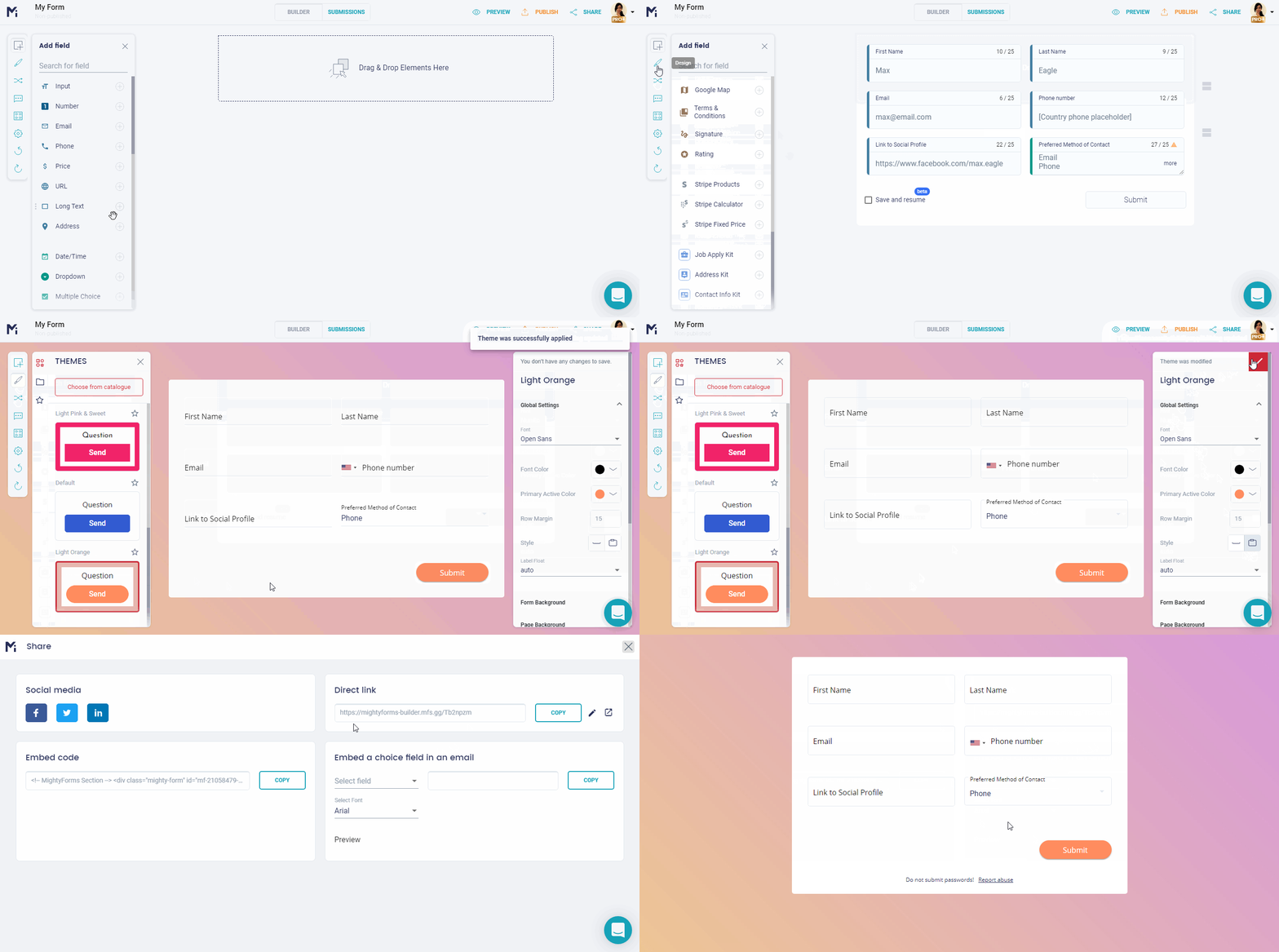
Any form created by FormBuilder can be published on its own link or embedded into any web page (from any publishing platform, like WordPress) or landing page.
If you’re an e-commerce or online store, you can also easily embed a form on BigCommerce, Shopify or WooCommerce with the same embed snippet.
Additionally, you can share the form link on your social media accounts on Facebook, Twitter, and LinkedIn to reach out to your audience.
However, most form builders offer those sharing options too. Even Google allows users to embed a simple Google Form in an email or on a website, although it offers very limited customization and automation.
But presenting a choice form field in an email that really grabs individual attention takes only a few minutes with a FormBuilder form and your email tool.
Why You Should Embed a Choice Form Field in an Email
When it comes to increasing the submission rate, it should never be about only one approach. You should share and promote your form in as many ways as you can.
We also know that the cost of acquisition is higher than the cost of retention when it comes to customers. So, if you have a mailing list of people who have already experienced making business with you, why not pump up your conversion rate with those too?
But if you have some budget, there are plenty of mailing list services that sell email addresses. Choosing a trustworthy one can help you build a segmented mailing list, especially if you’re targeting a certain demographic group.
A relevant and well-designed email marketing campaign can yield a very positive outcome. And instead of looking spammy or pushy, embedding a specific form field in an email message can be more effective than flashing a whole ad.
Embedding a choice form field in an email can be used as a complement in order to support other form publishing tactics, but it can also work as the primarily targeted effort.
9 Email Marketing Facts To Get You On Board
With all of the technological advancements these days, it’s hard to believe that a good old email message would get so much reaction from people.
But the truth is, sharing your form as a choice field embedded in an email can be your sure shot to get your audience to fill out your form.
To help you with the best business decision-making, let’s take a look at some email marketing statistics to back up sharing your form field in an email strategy:
-
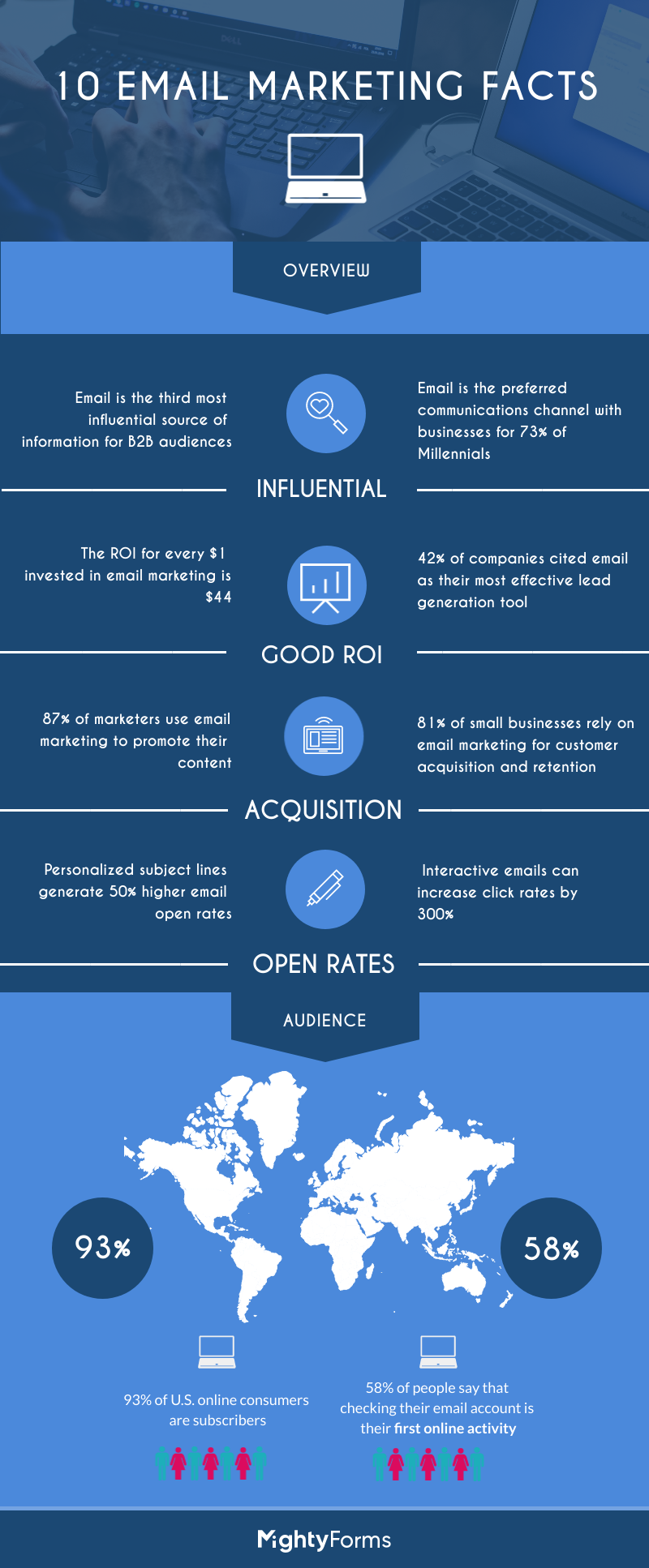
58% of people say that checking their email account is their first online activity.
-
93% of U.S. online consumers are subscribers, who have received at least one permission-based email a day.
-
Email is the third most influential source of information for B2B audiences, behind only colleague’s and Thought Leaders’ recommendations.
-
The ROI for every $1 invested in email marketing is $44 (Campaign Monitor, 2016).
-
Email is the preferred communications channel with businesses for 73% of Millennials.
-
87% of marketers use email marketing to promote their content, followed by social media, and then the company website.
-
81% of small businesses rely on email marketing for customer acquisition and retention.
-
Personalized subject lines generate 50% higher email open rates.
-
Interactive emails (clickable form field embedded, anyone?) can increase click rates by 300%.
How to Embed a Choice Form Field in an Email
Are you ready to take your form straight to your customer’s inbox? Email clients do not run live form code, so the reliable way to do this is to show the question and its answer options as buttons in the email, each linking to your published FormBuilder form. The entire process takes only four steps:
Step 1. Create Your Form
Just go ahead and sign in to FormBuilder and build your form as usual. Note that you can customize your form and enable all features, notifications, and integrations normally, since none of it is lost when the form is opened from an email.
Step 2. Put The Key Question First
Now here comes the cool part. In the builder, add the choice field you want to feature in the email (a Dropdown, Multiple Choice or Single Choice field) and place it at the top of your form, so it is the first thing a recipient sees after clicking.
Once everything checks out, preview and publish your form to get its link.
Step 3. Copy the Form Link
Click Publish in the builder and copy the form link. If you want to track the campaign separately, add a tag to the end of the link (for example ?ref=newsletter) so you can tell email traffic apart later.
Step 4. Build the Choice in Your Email Editor
The final step is to recreate the question in your email. Any mailing service platform, like Mailchimp, Intercom, SendGrid, etc., lets you add buttons or a row of linked images. Write the question as a heading, then add one button per answer option, each linking to your form.
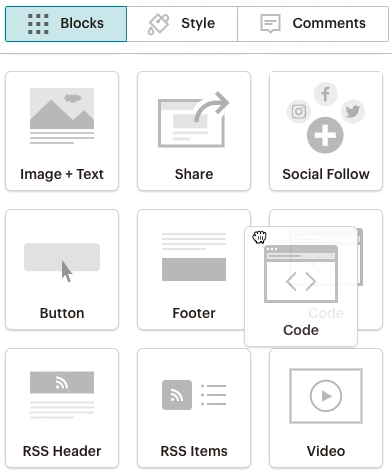
You decide where within your message your question should go. Once you press ‘Send’, every email address from your mailing list will receive a message with the question and its options right in the body of the email.
How the Form Field in an Email Works
Your mailing list recipients will see the choice question right there on the message and once they click on any option, they’ll land on your original form with that question at the top.
They pick their answer, fill in anything else you ask, and submit.
You’ll be able to see all form submissions data from your FormBuilder dashboard or from another platform of your choice, like Google Sheets, in case you have this automatic sync enabled.
In order to help you track the submission rate, FormBuilder provides form analytics for every form, and the tag you added to the link tells you which submissions came from the email campaign.
What is a Choice Form Field in an Email Used For?
The more you use this approach, the more you see its potential. Not only to boost the submission rate but count on it as your go-to strategy for when you need faster responses back or individual attention.
Explore a choice field in an email to nudge abandoned carts, for example. Easily recapture lost shoppers by surveying them on the abandoned cart reasons with a one-question form linked from a personalized email message.
Just hosted a webinar? Send an email with a Multiple Choice Field embedded in an email to ask each participant to rate your event. Or if you’re running an art contest for a book cover, as another example, send the options as Images Choice embedded directly in the email up for voting.
Another great use of the choice field embedded in an email is to know more about your audience for Customer Segmentation analysis. Just include demographics questions straight in the email message.
The possibilities are endless and FormBuilder features will suit every type and size of business. Got a project idea and think embedding a form field in an email is just what it needs to raise awareness? Let us know and we’ll help you out!