How to Create a Customer Satisfaction Survey
Customer Satisfaction Surveys should be the backbone of any business since a positive experience can be decisive for business growth. Learn how to create, update, automate, and calculate your CSAT…

When you run any type of business, the first instinct is to focus on always acquiring new customers. But the direction towards business growth lies in customer retention.
A properly conducted Customer Satisfaction Survey - asking the right questions, at the right time through a reliable form - should be your GPS navigating through the yet uncharted customer journey.
And FormBuilder doesn’t leave you flying blind.
Let’s go over how to create a flawless customer satisfaction survey with spot-on questions that will surely provide key customer insight. Then, how you can leverage it with FormBuilder features and customer satisfaction survey templates. Shall we?
What is a Customer Satisfaction Survey?
In plain terms, a customer satisfaction survey is a tool or an instrument to probe customers about their experience with a product, service, or brand and their level of satisfaction.
The goal is to collect quantitative and/or qualitative data that can count as a metric to find out how well a business is doing and ultimately, secure customer loyalty.
A well-built custom customer satisfaction survey can extract valuable data from customers. This data can be analyzed and tallied into a Customer Satisfaction Score (or CSAT). And the customer satisfaction score can be established as a key performance indicator (KPI) of a business.
The purpose and methodology for a customer satisfaction survey may vary. This is why it is best to design one using a form builder like FormBuilder, so it can be built and customized in any structure needed, like multi-step questionnaires, Likert or NPS scale type of questions.
Why Do a Customer Satisfaction Survey?
You can’t guess what your customer’s needs and wants are. Nor can you tell what’s wrong when everything looks fine but sales don’t take off.
When you consider the often-quoted finding that 96% of unhappy customers don’t bother to complain and worse, 91% of those will just leave and never come back, you need to hear them out.
Besides, the most common reasons for customers who prefer not to complain are easily reversible. They leave without telling why because they feel it won’t make a difference or that the process for complaining is too cumbersome.
Now that’s your job to provide a convenient and reliable process for feedback and let them know it was duly noted and that it will be followed through.
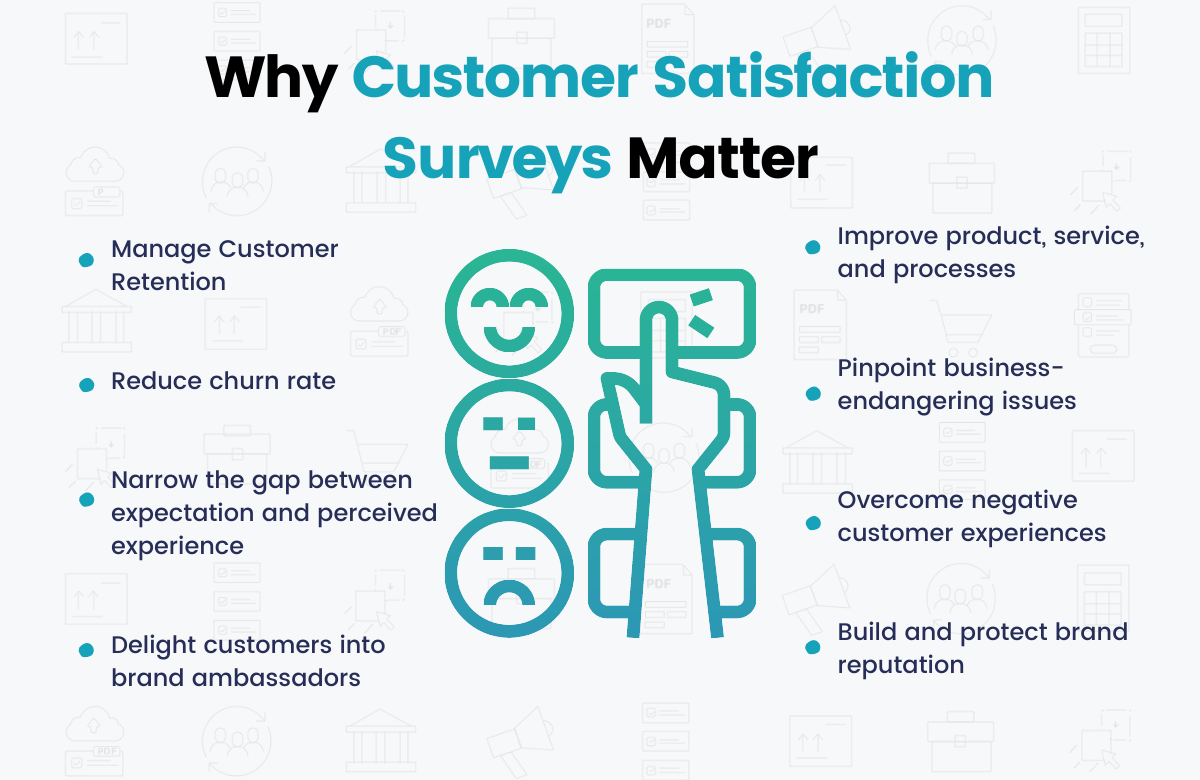
By measuring customer satisfaction and acting on it, you’ll be able to improve your business, edge out competitors, and increase your revenue.
What Are The Most Effective Customer Satisfaction Survey Questions?
The questions on a Customer Satisfaction Survey will depend on your goal. Do you want to find out just the overall experience? Maybe something specific like the performance of a newly launched feature? How do you stand in comparison with competitors?
As tempting as it may be, it is best advised to tailor your customer satisfaction survey with one or only a few related goals in mind as to not overwhelm your customer.
Targeted questions ensure a high response rate. Leave complex and all-encompassing market research to be conducted by appropriate methodologies, like in-depth interviews or focus groups.
Once your goal is defined, it is time to carefully craft the questions that will trigger a reaction, and provide an insightful response.
Let’s go over the three main areas that any business should make sure their customers are having a positive perception of: overall experience, detailed product/service experience, and customer support experience.
Also, you’ll find some spot-on sample customer satisfaction survey questions that you can ask for each:
1. Overall Experience

Usually a customer satisfaction survey is deployed after the first purchase. The goal here is to find out the general feeling of becoming a customer of your business, without getting into too specific information.
Conducting a customer satisfaction survey to probe overall experience is market research 101.
Tracking user experience from the start helps you understand how easy (or difficult) it is for prospects to enter the customer journey. This way you can find out whether you should fix earlier stages prior to purchase and chances for a repurchase.
Here are some sample customer satisfaction survey questions to explore overall experience:
▶ How did you find out about our products/services? You may include a dropdown menu with options ( i.e. A. Social Media B. Point of Sale C. Advertising D. Referral E. Other.)
▶ How easy was it to find information about our product/service? Along with a satisfaction scale from 1 to 5 as measurement.
▶ What prompted you to make a purchase? You may list attributes to be selected, like price, brand, design, shipping fee, delivery date, and provide space for others.
▶ How was your shopping experience? Here you can list the stages of purchase asking customers to rate each (i.e. website browsing; customer support; cart checkout; payment option, etc.), providing a space for additional comment.
▶ How likely are you to recommend our product/service to friends? Again, a scale ranging from “not likely” to “very likely” can be offered.
▶ Would you purchase this product/service again? You can include a scale ranging from “never again” to “most definitely” and offer a field for additional comment.
2. Detailed Product/Service Experience
In order to maintain sustained growth, you must find out if your product or service is meeting expectations. The customer satisfaction survey aiming at product usage or service will give you insight into improvement.
The timing to deploy a customer satisfaction survey for a product or service may vary.
If you’re running a food delivery service, for instance, then immediately it’s not ideal as you’ll interrupt the meal experience. But after one hour within purchase is ideal (and much later will be useless).
For durable goods, for example, then give one or two weeks of a trial period before inviting buyers to respond to your customer satisfaction survey.
In order to find out about specific product or service experience, you’ll see that the sample of customer satisfaction survey questions is more detailed and descriptive:
▶ Are you satisfied with the purchase of [add name/model of product/service]? A straight yes or no type of question.
▶ Has the product/service helped with your [add function/purpose] needs? A scale ranging from “disagree” to “strongly agree” can be added for rating.
▶ How would you describe our product/service? Offer a list of adjectives or terms related to your product like “fairly priced”, “innovative”, “useful”, “easy to use”, “sturdy”, and ask customers to select three.
▶ What feature/part/element of a product/service should be improved? You may list options to be selected or leave it as an open-text question.
▶ How did the size fit? This is an example of a clothing item, but it should be tailored accordingly. In this case, list options as “too small”, “fits just right”, and “too big”.
3. Customer Support
Customer happiness is not limited to the product/service itself nor does it end at purchase.
A study by Walker, an experience management firm, found out that customer experience matters more than price and product as the key brand differentiator.
Whatever the reason why a customer has reached out to your customer service center (or any customer-facing function), you should measure their level of satisfaction with support received.
Ideally, the best timing for conducting a customer satisfaction survey for customer support is right after an interaction. Here are some sample customer satisfaction survey questions:
▶ Please evaluate your overall satisfaction level with our customer support. Then proceed with a scale ranging from “very dissatisfied” to “very satisfied”.
▶ Was your issue properly resolved by our customer support? It can be a direct yes or no question, or a scale ranging from “disagree” to “totally agree” with a field for additional comment.
▶ Please rate our customer support agent for each attribute. Then add a list of skills, such as “technical knowledge”, “response time”, “empathy/charisma”, “company knowledge”, and a rating scale from 1 to 5 for each.
▶ How can we improve our Customer Support? You can leave this question as open-text for suggestions.
How to Create a Customer Satisfaction Survey
As you might have noticed going over the sample customer satisfaction survey questions is that there is no formula when it comes to the structure of the question.
There are many types of customer satisfaction surveys, like an open-text question, multiple answers, dropdown menu, Likert or NPS scale, icon scale (as in happy/sad emoji face), grade rating, etc.
Depending on the question (or your goal), one approach will work better than others. You may even mix and match, combining two approaches within the same customer satisfaction survey.
And this is exactly why you need a versatile form builder that allows you to build your customer satisfaction survey just the way you need.
Find out how easy it is to apply all resources available to strengthen your customer satisfaction survey form with FormBuilder. Three quick steps, no coding knowledge required:
Step 1. Create your form
You can start your customer satisfaction survey either from scratch, from a template, or by describing it to the AI form generator.
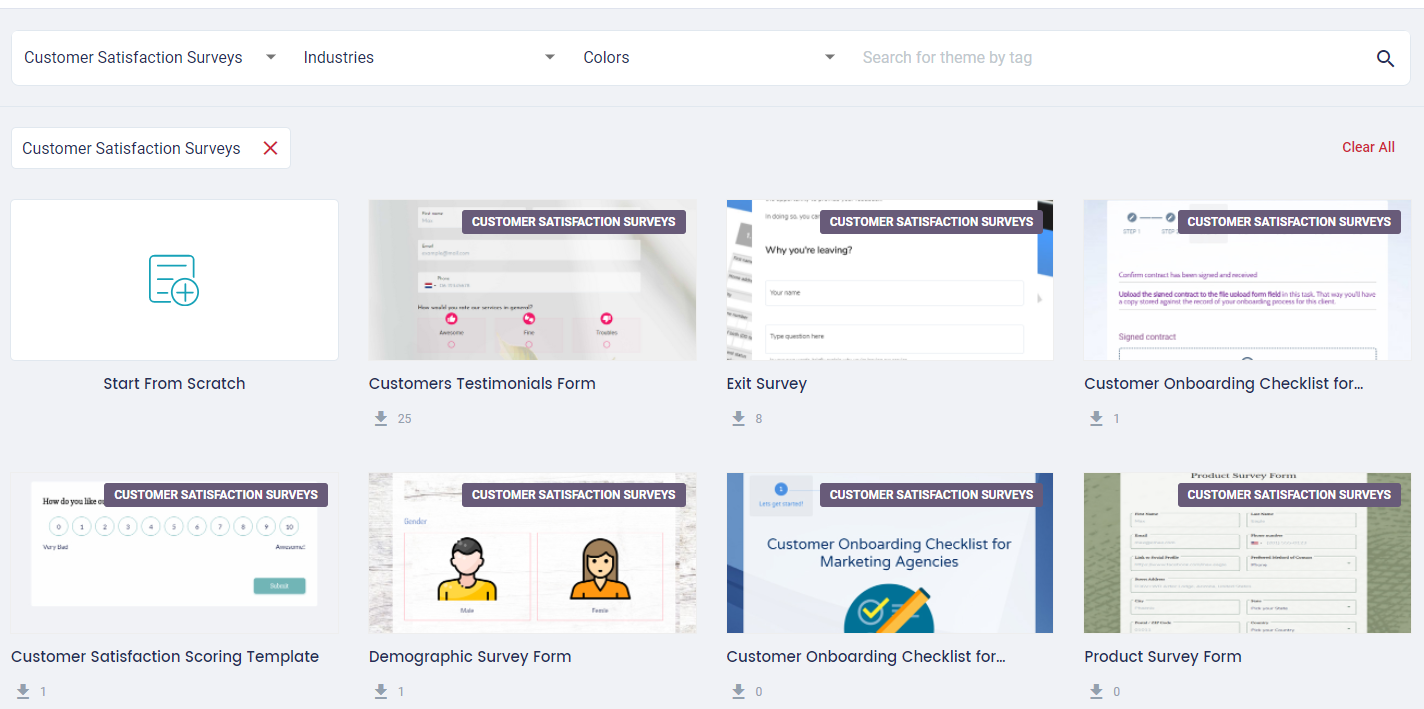
All forms are fully responsive from any device, which is important when it comes to offering a frictionless form to be filled out at customers’ convenience.
Step 2. Customize your form
With FormBuilder, you have full control of every element of your customer satisfaction survey form. Resize and reposition fields. Select colors, fonts, and background image that best encourage customers to respond.
From the left side menu, you can select the structure of the question field that best suits your customer satisfaction survey question. Simply drag and drop the option from the builder’s Toolbox into the form.
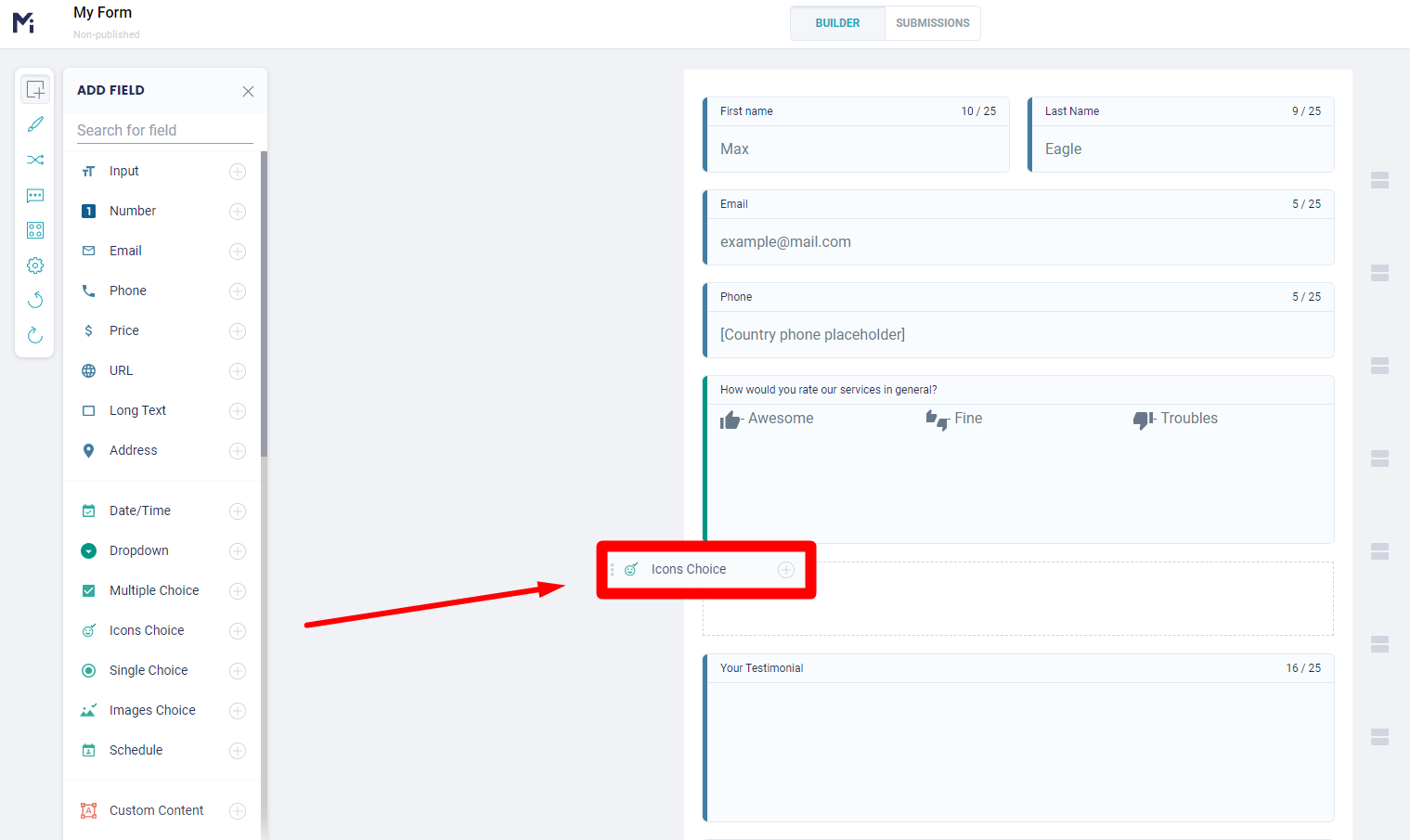
Then you can customize the field to your actual question, define the answers as options, or create your own satisfaction scale parameters.
Step 3. Share your Form
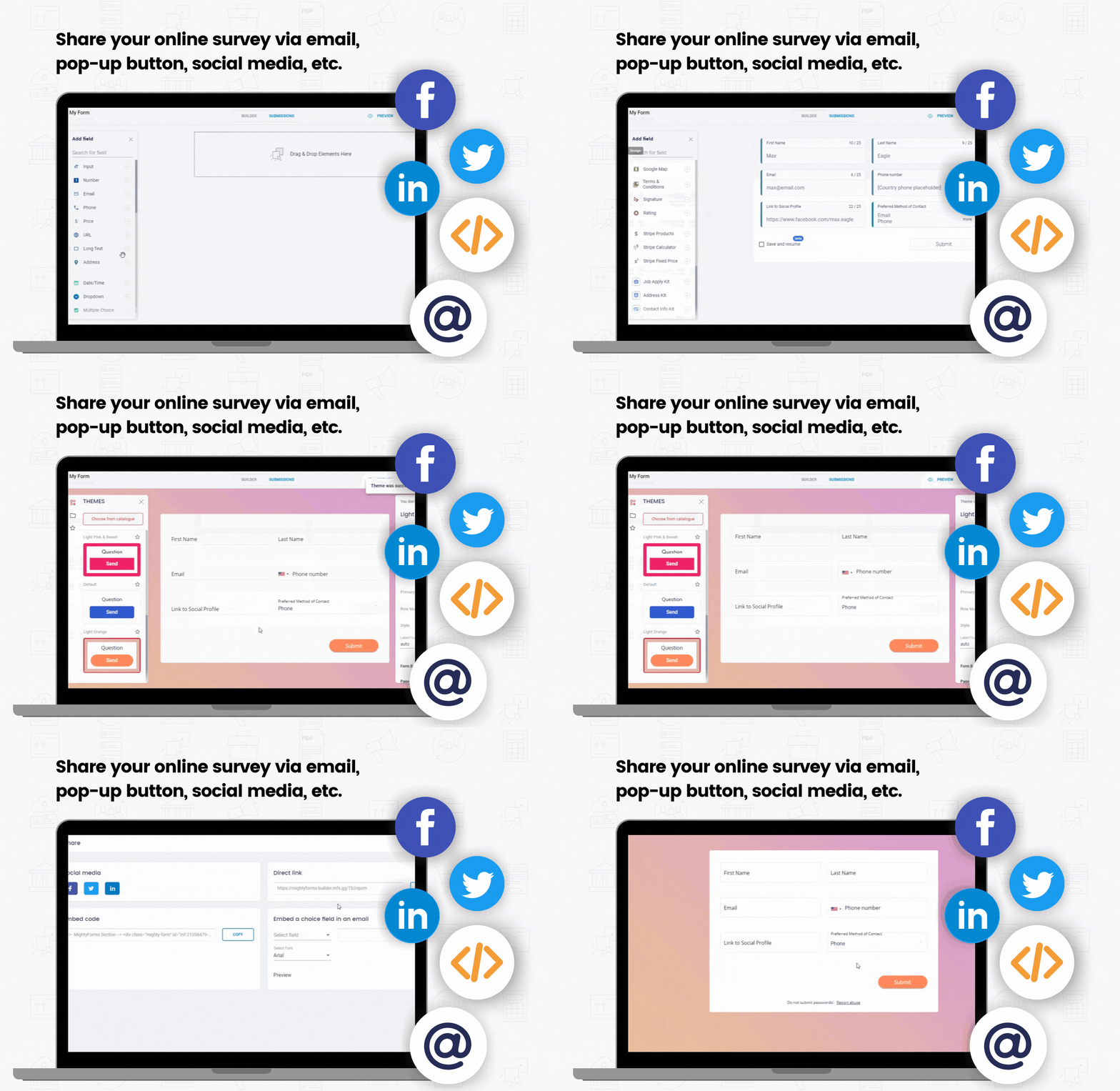
Once your customer satisfaction survey is ready, you can publish it and share it. FormBuilder lets you easily embed it in a web page, or share the form link via email or social media.
How to Automate your Customer Satisfaction Survey
Now that you know how easy it is to build your form, even saving time with optimized customer satisfaction survey templates, it’s time to show you how FormBuilder takes it to the next level.
To unlock additional and powerful features and functionalities by FormBuilder, open the form’s settings from the builder:
Here’s how FormBuilder can automate and boost the performance of your customer satisfaction survey:
Conditional Logic
This feature allows the next question to be conditioned to the previous answers, making your customer satisfaction survey more dynamic and relevant. For example, you can set up an additional comment section to appear only to customers who responded not being satisfied with your product, prompting them to relate their negative experiences.
Star Rating and Range Slider Fields
If you decided to take the Likert or NPS scale route with your customer satisfaction survey, FormBuilder got you covered! Easily select the Star Rating field or the Range Slider field from the builder’s toolbox menu and customize your question and scale range.
Field Justification
Increase the response rate of your customer satisfaction survey by clarifying what’s expected in each field. You can add a tooltip text to appear that explains your satisfaction scale or add a field label and an answer example as a placeholder.
Notifications
Set up an email notification of a new submission. A customer satisfaction survey can bring insight into a new product or alert you of a brand reputation issue. Send it to the whole team, or route submissions to Slack or your CRM through Zapier, so the right people handle each case faster.
Success Message
Ensure your customers that their feedback was well-received. You can create a custom success message to pop up after each submission. You can thank customers for taking part in your customer satisfaction survey, explain the next steps, even redirect them to another page.
Integrations
Automatically send all form submissions to other platforms for further data storage and management. Connect your customer satisfaction survey to Google Sheets to tally responses or to Mailchimp to include customers on a marketing initiative.
Easily nurture customer loyalty by integrating submissions to Pipedrive, the CRM platform, or any other app of your choice through an instant Zapier connection.
How to Calculate your CSAT
As I mentioned before, the responses of your customer satisfaction survey can be counted in order to come up with a score, or your CSAT.
The CSAT can help you set the bar for customer experience standards within your company since it takes the dedication of everyone to make customers happy and ensure their loyalty.
Some industries might need a more complex calculation for a CSAT, but generally, here’s how the score is figured out:
The sum of all positive responses divided by the total number of submissions, then multiplied by 100.
For example, if out of 50 responses submitted from your customer satisfaction survey, 30 of them were positive, then it means your CSAT is 60%.
Keep in mind that a CSAT is considered a good score when above 75%. For some industry niches, even higher, according to the American Customer Satisfaction Index.
Another perk you get when you build your customer satisfaction survey with FormBuilder is that the tallying is easy. Connect the form to Google Sheets and every response lands in a spreadsheet as it arrives, so a single formula gives you a CSAT (or NPS) score that updates itself. You can also export responses to CSV at any time.
Customer Satisfaction Surveys should be the backbone of any business since a positive experience can be decisive for business growth. The responses will guide the need for improvement or cue in an opportunity for business expansion. Easily create, update, automate, and tally your CSAT score with FormBuilder to establish a standard of excellence all year long.