The Hotel Industry Is Changing Fast. Here's How to Keep Pace Using Hotel Receipts from FormBuilder
As a resort manager, it’s critical to keep track of every bill to provide the best service for your guests. Make it a simple process by using FormBuilder Hotel Receipt Template

The hospitality industry keeps changing, and business and leisure travel keep growing.
Perfect timing to revisit old processes and implement the latest resources to keep your hotel ready for high demand.
The makeover must start with the most crucial and essential piece of exchange between guests and hotels: the hotel receipt.
As a resort manager, it’s critical to keep track of every bill to provide the best service for your guests. Make it a simple process by using a FormBuilder Hotel Receipt Template.
Allow me to give you a tour, I’ll be your concierge!
Why Hotel Receipts Must be Provided
Whatever type and size of hospitality establishment you’re running, you’ll always need to provide a hotel receipt for your guests. Just a credit card slip is not enough since it doesn’t detail charges.
Besides, more than a simple document stating that accommodation and services have been paid for, a hotel receipt acts as legal proof in case of any dispute.
Since even the most basic hotel receipt contains information about the hotel, the guest, and details of all lodging expenses, it benefits both parties involved.
For guests, a hotel receipt is an opportunity to double-check all itemized charges in case of a complaint or a query. Also, for those traveling for business purposes, a hotel receipt is needed for expense reports and reimbursement requests to employers.
For the establishment, a hotel receipt can be kept for legal and financial auditing purposes. It’s a much safer and smarter method for bookkeeping.
What Should Be Included in a Hotel Receipt
A hotel receipt states a very specific and peculiar kind of information. Therefore, using a generic invoice format is not advised.
You’ll need a tailor-made document to properly display detailed information about each stay. Besides, it has to be in a printable format and shareable via email as well.
Another major difference is that, unlike a generic invoice, a hotel receipt must be signed, so it must include a signature field.
Here’s the full list of what should be included in a hotel receipt:
- Hotel information: full address, phone number, website, email address
- Guest information: full name, address, phone number, and email address.
- Stay information: check-in and check-out dates, room number, number of guests per room
- Room rate per night and what’s included
- Itemized list of services or purchases (meals, transportation, print services, spa services, parking, etc.).
- Balance due (including total amount plus any taxes and fees)
- Payment method (credit card number, deposit info, etc.)
- Signature field
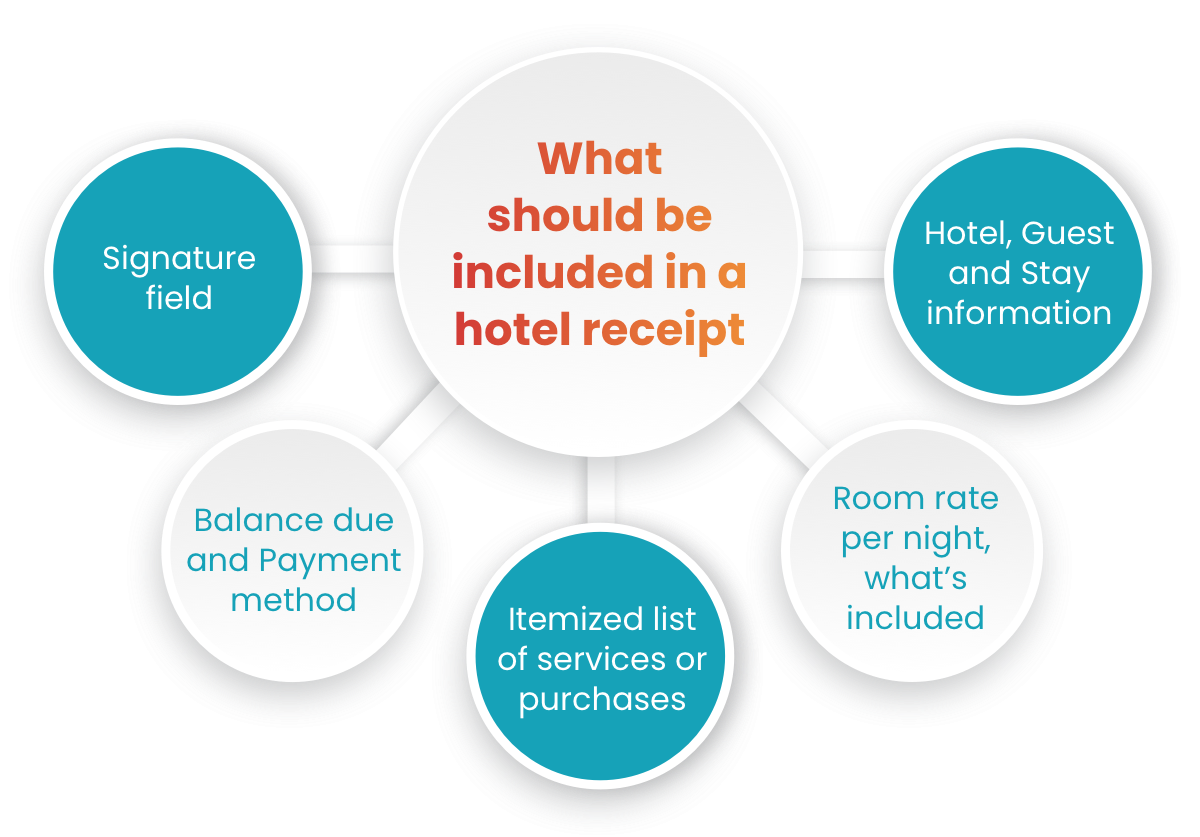
Keep in mind that this list covers the most common information stated in a hotel receipt, but you might need to add or delete a few items depending on your business.
That’s why we’ll show you ahead how to create a custom hotel receipt with FormBuilder. Not only do you get to include all the information needed exactly how you want it to look, but hotel receipts by FormBuilder can be powered with further features and functionalities to improve your front desk operations.
Hotel Receipts by FormBuilder – Step-by-Step with Template
There are a few hotel receipt templates for download or invoice generators available online. But not only are they very limited on customization, they also don’t go beyond the document itself.
FormBuilder is a form builder designed for client intake and data management. This means you’ll get more than a professional-looking, automated, custom hotel receipt.
From the hotel receipt as your starting point, you’ll be able to run email marketing campaigns, improve your CRM strategy, conduct guest satisfaction surveys, and much more.
Step-by-step to Create a Hotel Receipt
FormBuilder is a very intuitive form builder with no code required. You can create and edit fully responsive forms as easily as clicking on buttons or by dragging and dropping field options.
Let’s go over the steps to create a hotel receipt so you can implement it right away to your guests:
Step 1. Log in to FormBuilder
Signup is easy: create a free account for your hotel at formbuilder.com. No credit card is needed.
Step 2. Create New Form
From the main dashboard, create a new form. You can start from scratch, but let’s get a headstart here. FormBuilder has a hotel receipt template readily available in the template gallery. Search for “hotel receipt” to find it.
Step 2.1. Select Hotel Receipt Template
You can preview it first or start its customization. Use the template to open it in the builder.
Step 3. Edit Hotel Receipt Template
You’re now in the builder, where you get to edit any part of the structure of your hotel receipt template. In the field menu, you’ll see all field options available. Drag any field you need into your hotel receipt form.
Note you can reorder or remove any field. When you click on each field, its settings appear so you can edit any detail. You can make any field required, include a description, change its options, etc.
Step 4. Split the Receipt into Pages
Long forms are easier to fill out when they are broken into steps. Turn the receipt into a multi-page form, with guest details on one page, the itemized charges on the next and the signatures at the end. Your front desk clerks will see a progress bar and can move through it in the same order they collect the information. Answers also save as they type, so a clerk can start the receipt as charges are being made and pick up where they left off at checkout, instead of filling it all out at once.
Step 5. Edit Signature Fields
You’ll see there are two signature fields on this hotel receipt template: one for the hotel clerk filling it out, another one for the guest in order to accept and agree to the charges being made. You can edit this signature field to include the employee’s name and ID, for instance, so it’s documented who was responsible for each hotel receipt issued.
As for the guest’s signature, we strongly advise making it a required field in the case of the electronic format of the hotel receipt. Note that electronic signatures can be either typed in or drawn, and both are legally binding in the US by the Electronic Signatures in Global and National Commerce (ESIGN) Act of 2000.
Step 6. Define Style of the Hotel Receipt
With the structure for your hotel receipt defined, let’s move over to embellish it. Open the design settings.
From the design settings, you can choose a color theme from the existing options or come up with your own color scheme, fonts, and background image.
PRO TIP: at this stage, you can add your own logo and brand identity to this template.
Step 7. Preview & Publish
You may now name this form. You can also preview it and test its responsiveness from any device. Finally, just click on the “Publish” button to make it active and ready to be used.
That’s it, your hotel receipt is ready to be filled out by your staff and signed by guests!
Advanced Features for Hotel Receipts
As I mentioned before, hotel receipts by FormBuilder can go beyond their initial purpose.
Forget about static templates or unreliable invoice generators!
Especially if you’re running a small establishment, you can rely on extra help to ensure hotel receipt process compliance and accuracy. Not to mention tools to help you grow your business and keep your hotel booked all year!
Let me show how you can take advantage of all FormBuilder features and functionalities in order to make the hotel receipt process more efficient:
Form Templates
You should focus on hospitality best practices and let FormBuilder’s expertise help you collect and manage data for any purpose. Besides the hotel receipt template that we’ve covered in our tutorial above, there are optimized templates for other occasions too.
Easily implement a Guest Registration form template to expedite your booking. Are you hiring new staff? There’s a Job Application form template to help you recruit candidates. Is your hotel also a venue for events? Check out our Event Registration forms to help with your event planning. Explore all other form templates that can be of service.
Form Privacy
If a hotel receipt is a legally binding document, then it must be protected against frauds and scams. In order to avoid misuse by unauthorized people, hotel receipts by FormBuilder can be protected and accessed only with a password.
Simply open the form’s access settings to set up a password that locks access to your hotel receipt. You can unlock it or change its password anytime.
Automatic Notifications
Whenever your front desk clerk issues a new hotel receipt, you can set up automatic email notifications to be sent out to other team members. For instance, alert your cleaning staff that a guest has checked out so the room can be cleaned and arranged for the next guest. Or automatically send a copy of the hotel receipt details to your accounting department for faster balance sheet management.
Open the form’s notification settings to set up notifications via email. Simply define who will get a notification and what information will be given.
Success Message
As a hotel owner or manager, you want to delight your guests from the booking moment to the checkout experience so they’ll come back. Providing a clear and transparent hotel receipt for guests to easily understand charges is nice, but thanking them on the spot is even nicer.
You can set up an automatic custom thank-you message as soon as a hotel receipt is submitted. Add your “thank you for staying with us” message, make it dynamic with pictures or your hotel logo. Or you can even redirect guests to another website, like inviting guests to join your loyalty program.
Integrations
Integrations by FormBuilder will empower your hotel receipts by syncing them to other platforms. All of the hotel receipts submitted are safely stored in FormBuilder, and you can export them or send them through Zapier to any data storage platform, like Google Drive or Dropbox, for extra backup.
For further data management and analysis, send your hotel receipts to Google Sheets with the native integration. Automatically add guests to your email marketing mailing list on Mailchimp, or streamline your hotel receipts to any other platform through a Zapier integration.
Guest Satisfaction Survey
Say goodbye to the days that guest satisfaction surveys remain unanswered in each hotel room’s nightstand. FormBuilder has the most effective tools to collect guests’ feedback. Send guests a link to a short survey form by email soon after checkout.
Select one of our Customer Satisfaction or Feedback form templates or create your own in order to probe your guests about their stay experience. You can build your guest satisfaction survey using the Likert Scale or NPS Score approaches to find out what guests liked the most and the least about the hotel, or the likelihood of them recommending it to friends.
The valuable data collected from a guest satisfaction survey will support better business decision-making. From room rates, amenities, spa to room services, and so on, surveys provide an opportunity to learn from guests, improve your hotel premises and practices, train your staff, and outdo competitors.
Keeping Pace With Demand
Travel demand rises and falls with the seasons, and the busiest periods are exactly when manual paperwork breaks down at the front desk.
With that in mind, hotel owners and management teams must bring processes, procedures, and tools up to date asap. Automated custom hotel receipts by FormBuilder are optimized to sustain high demand from guests. But don’t stop at hotel receipts, explore all the powerful features and functionalities FormBuilder has to offer to streamline your daily hotel operations!