Improve Your Event Registration Form With Benchmarking Best Practices
Learn how to create an event registration form that converts. Look at the best real-world event registration form examples. Get free event registration form templates you can start using today.

Are you a bit overwhelmed by the number of online and in-person events competing for attention?
Don’t get me wrong, online events have proven their value. They keep businesses connected to customers who could never travel to a venue.
However, when supply is that high, it’s hard to distinguish who’s doing it right and who’s just surfing the tide. That’s why we need to take a step back to analyze event registration forms best practices.
Let’s go over what makes an event registration form successful. We’ll also talk about how FormBuilder form builder can help you apply all key takeaways so you can build your own converting form.
What Makes an Event Registration Form Successful?
There’s no need to be coy about it.
A successful event registration form is one that converts.
Some brands or some specific subject will be so sought-after that its event registration form might convert even if it is a bad one. Tickets might sell out like hotcakes, especially if hyped up by a celebrity or an influencer.
But if you don’t want to take any chance or shortcuts, there are certain elements present in every highly converting event registration form that we can use as a benchmark.
Main qualities in every successful online event registration page
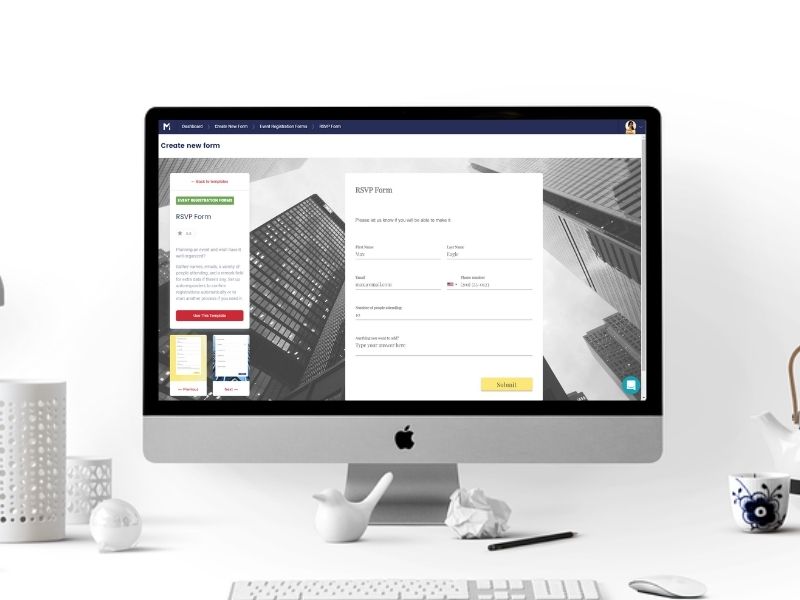
Engaging Value Proposition
Much is talked about always having a clear value proposition in an event registration page. But I believe stating clearly what your event is about should be mandatory by now.
Especially for costly events, where travel and lodging are expected.
Your value proposition must answer the basic questions of what, where, when, who, and why.
But highly converting event registration pages go beyond. Their value proposition is a vision inviting registrants to desperately be part of it. To achieve this type of engaging value proposition, you must research who is your targeted audience.
So tackle which needs and desires can be fulfilled by your event. Make your audience not only want to be part of it but make them feel like they will miss out if they don’t.
Convincing Testimonials or Reviews
If your event is a recurring one, be sure to collect feedback from past attendees. Positive testimonials and reviews can influence the next batch of attendees. Humans are influenced by other humans, especially unbiased ones.
Make sure the review used is authentic and authorized by the reviewer. Even better if you can persuade them to share their picture and name as social proof. Here's an article on how to create feedback forms to help you get some qualified reviews.
However, positive reviews are great, but convincing ones are better. Simply having something generic between quotation marks will have little impact.
The idea is to proudly display a review referencing something specific about your event and how it changed the attendee’s life or career.
Build Hype and Sense of Urgency

A smart final push won’t hurt anyone. The operative word here is “push” not “pushy” though. Refrain from sounding like a car salesman desperate to meet the monthly sales goal.
Subtlety is key here. You can create a sense of urgency by discreetly displaying a countdown clock or the number of remaining seats.
Take it up a notch and build hype about your event. You can share a teaser of the content in a video embedded on your page.
Maybe promote a surprise guest (make sure he or she is relevant and indeed interesting) or a giveaway at the end of the event. If your content is exclusive or “never before seen”, make sure to highlight that too.
Attractive CTA
Every event registration page must have a call-to-action (CTA) button to close the deal, so to speak. The CTA button is what will take viewers into the next step of an event registration page.
By pressing the CTA button, people are officially expressing that they are interested in your event, but how to make them do it?
Believe me, there are plenty of psychological experiments that have tried the best options. Vibrant colors like red or orange tend to perform better. Studies have also shown that the CTA copy is the next thing people will read after the headline.
So step away from the beaten path and create a compelling CTA with persuasive wording and attractive color, shape, and font.
Powerful Form
Now that you got viewers who were just checking out your event registration page converted into registrants, the next step is crucial. Event registration forms can be the decisive factor that can turn registrants into attendees.
So many great event ideas had a low turnaround because of poorly designed or malfunctioning forms. Therefore, for starters, make sure you provide a highly responsive form.
Taking this key element to the next level is to provide a powerful form. Make sure your event registration form is optimized with the right length of fields and an overall appealing visual.
The form must have a connection to your brand and audience, so customize it accordingly. And can’t stress enough to double-check that your form is mobile-friendly.
FormBuilder Event Registration Form Solutions
Going from a basic form to a powerful event registration form is easily achievable.
All best practices that make an event registration form successful can be effortlessly incorporated into your own like a magic formula. You don’t even need to hire a professional or learn computer code either.
FormBuilder is an online form builder that enables you to create beautiful event registration forms in no time. You can embed a form on your event registration page on WordPress or any other site, or share it with a link.
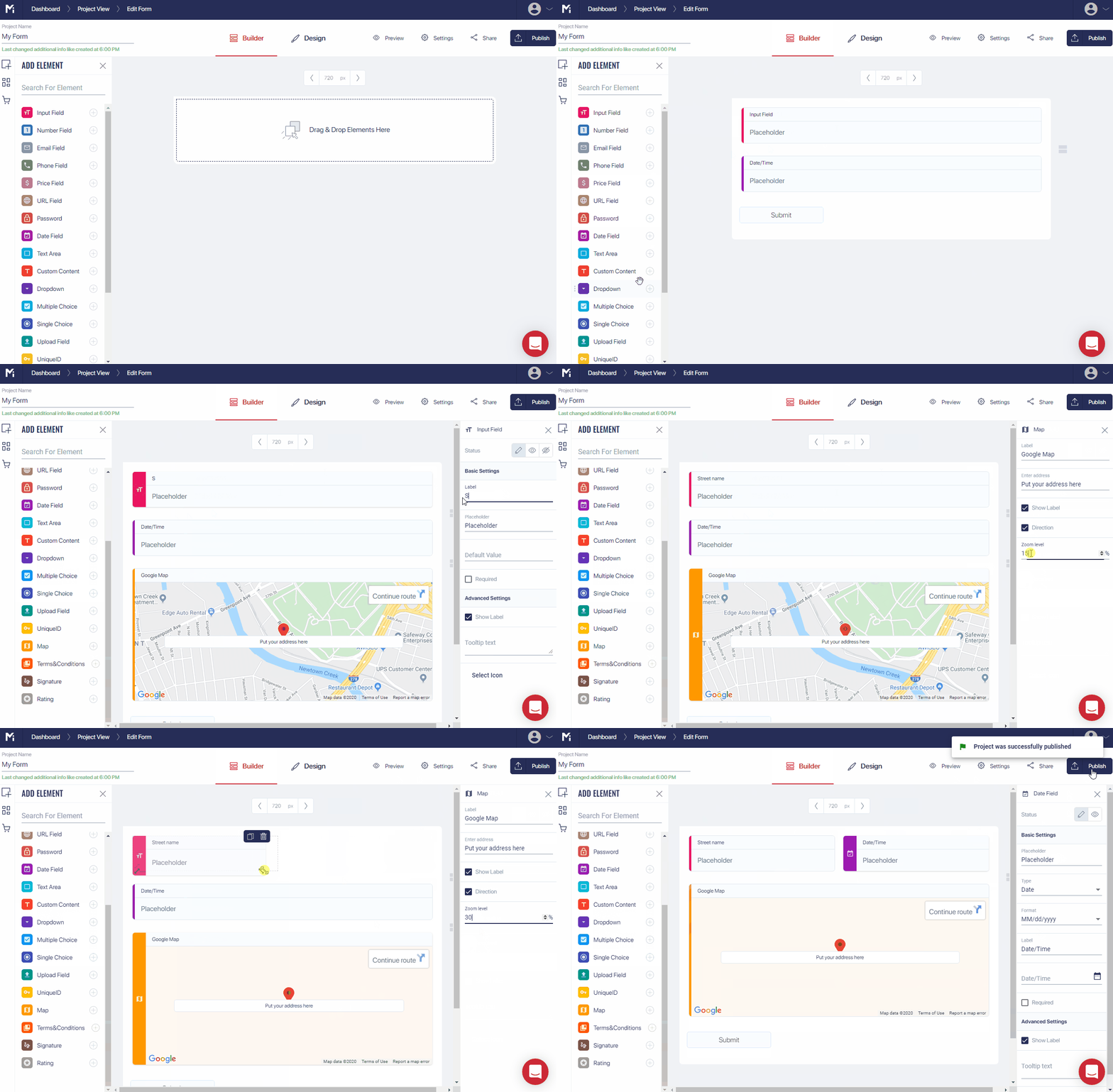
You can create your event registration form from scratch or template. But either way is simple, fast, and full of functionalities to help you secure registrants and manage submissions.
Here’s an overview of FormBuilder features:
- Free to start – the free plan gives you 5 active forms and 100 responses a month, no credit card needed
- Drag-and-Drop Editor – build custom event registration forms and easily edit any element. You can adjust colors, fonts, spacing, and background just as you like, or describe the form and let the AI form generator draft it.
- Responsiveness – all forms created with FormBuilder are fully responsive and automatically adapted to any device (desktop, tablet, or smartphone). You can preview its performance and overall look before publishing it.
- Custom thank-you page – you can set up a confirmation message to show after registrants submit their form, or redirect people to another page of your event website. Registrants can also receive an automatic confirmation email with a custom subject and message.
- Email notifications – you can easily create an automatic email notification to you or anyone in your team as soon as a new registration has been received. This feature will be of great help to manage headcount and other event arrangements.
- Form analytics – keep track of how many people open, start, and complete your form so you can spot where registrants drop off.
- Conditional logic – you can set up your event registration form in levels, where one answer conditions the next question. This feature not only encourages registrants to keep filling out your form but helps you qualify each by date preference, price range, etc.
- Scheduling and limits – open and close registration on a schedule, or password-protect a form for invite-only events.
- Integration – collect ticket payments with a Stripe payment field, sync registrations to Google Sheets, and connect to Google Calendar, Mailchimp, or thousands of other apps through Zapier.
Free Templates for the Event Industry
One FormBuilder feature deserves its own spotlight for event registration: template forms.
FormBuilder offers several different types of ready-to-go templates exclusive for the event registration industry. These templates are all pre-optimized for maximum results and all you need to do is to customize them with your style and add your own information.
Since no event is the same, FormBuilder has designed templates to suit different event types and purposes. Here are a few highlights:
Attendance Form
This template can be used by individuals or companies needing to count the attendance of guests of a small gathering or event. Best suitable for birthday parties, weddings, or any type of reunion where you know each guest.
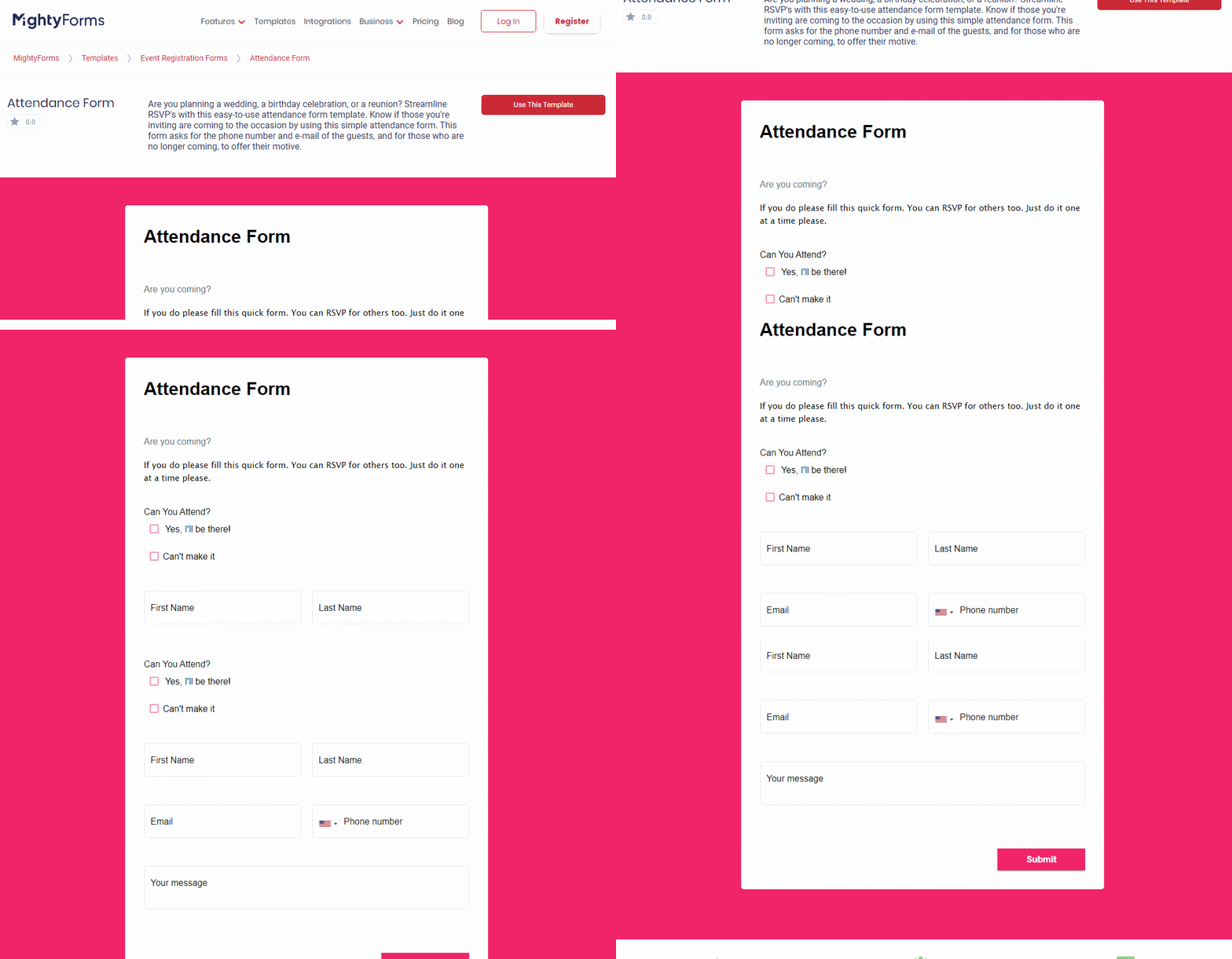
This straight-forward event registration form template is designed for a quick headcount when no other component other than attendance itself is needed.
This event registration form allows your guest to quickly confirm their presence and their contact information. An optional field for a short message is included in case a guest would like to thank you or state the reason for declining it.
Birthday Party Reservation Form
This specific template is designed for birthday celebrations. Just as the previous form, this event registration form template is best suitable when you know your guests and all you need is a confirmed headcount.
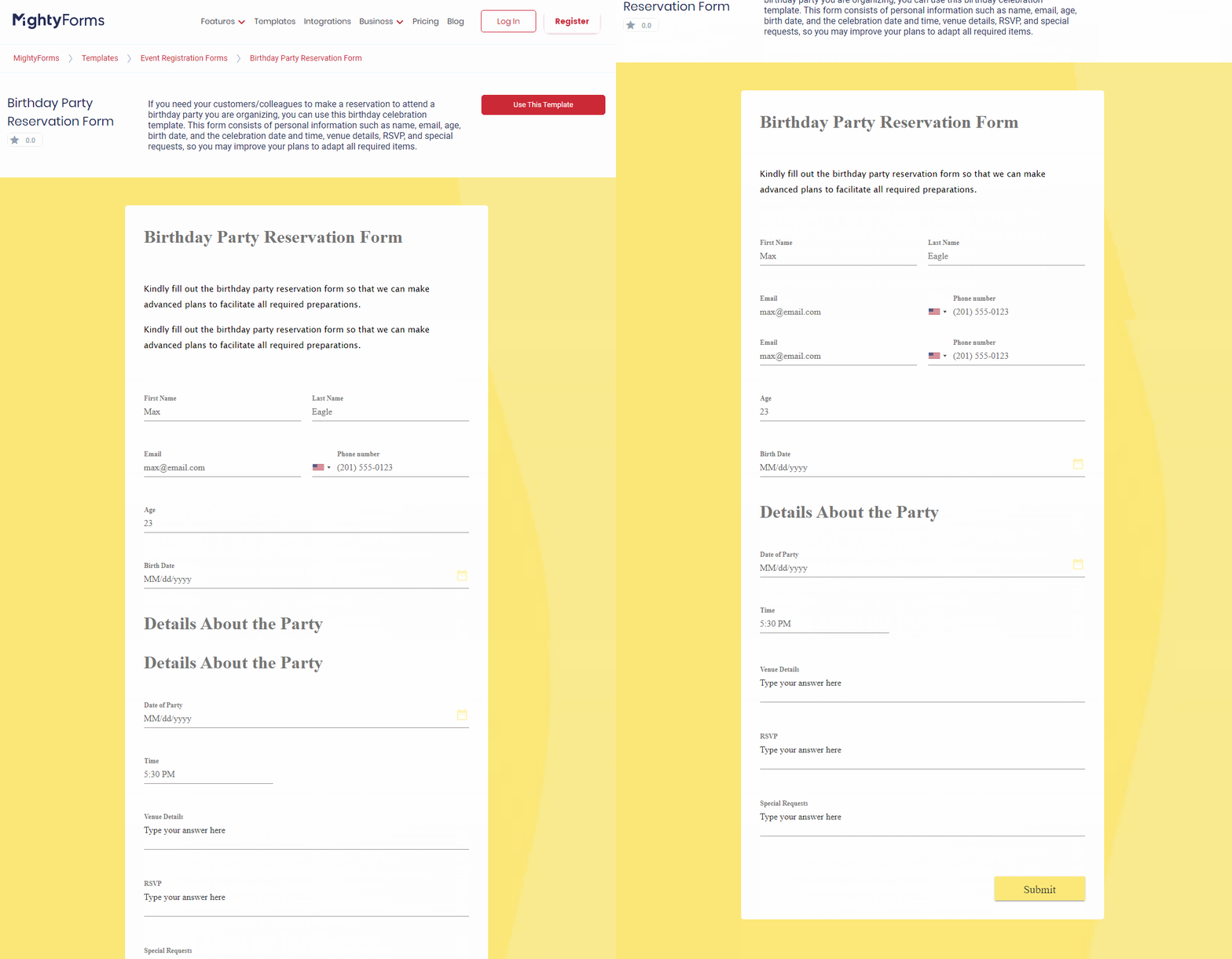
Besides fields to collect contact information, there are also fields for the birthday party details, such as venue, date, and time. There’s also an additional field for special requests, where guests can fill out with food allergies or special accommodation, for example.
Conference Registration Form
This business template is designed for professional events. It can be used by small or big companies alike. Suitable for multiple days conferences, this event registration form template provides a drop-down menu for date attendance options (and the corresponding price, if applicable).
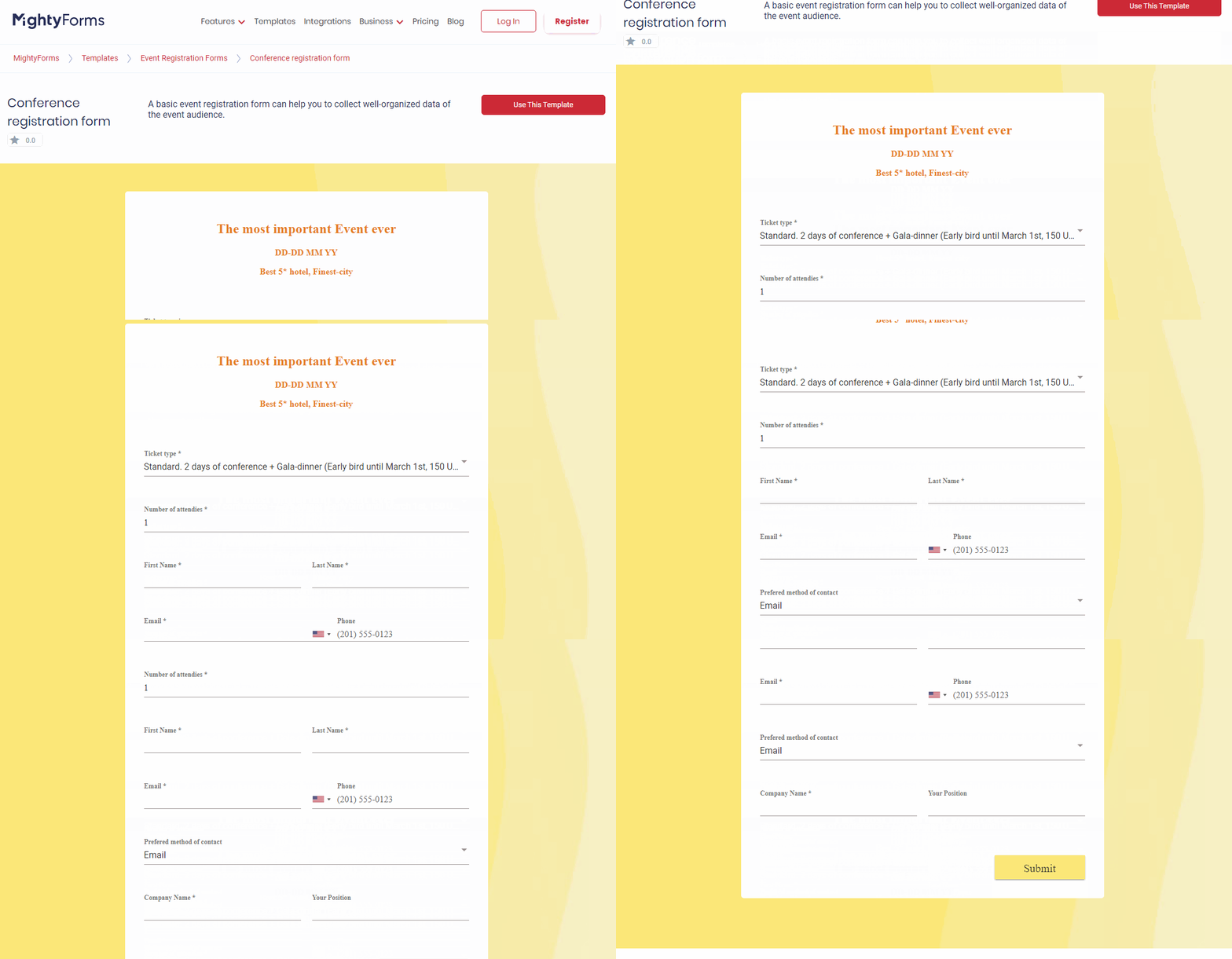
With this FormBuilder template, you can collect basic contact information, as well as professional information, like company name and position. This additional field is useful when you need to distinguish decision-makers among attendees.
Facility Request Form
This template is designed for event companies booking venues for third-party organizers or companies booking co-shared spaces for employees. With this event registration form, you’ll be able to collect contact information from organizers and details of the event.
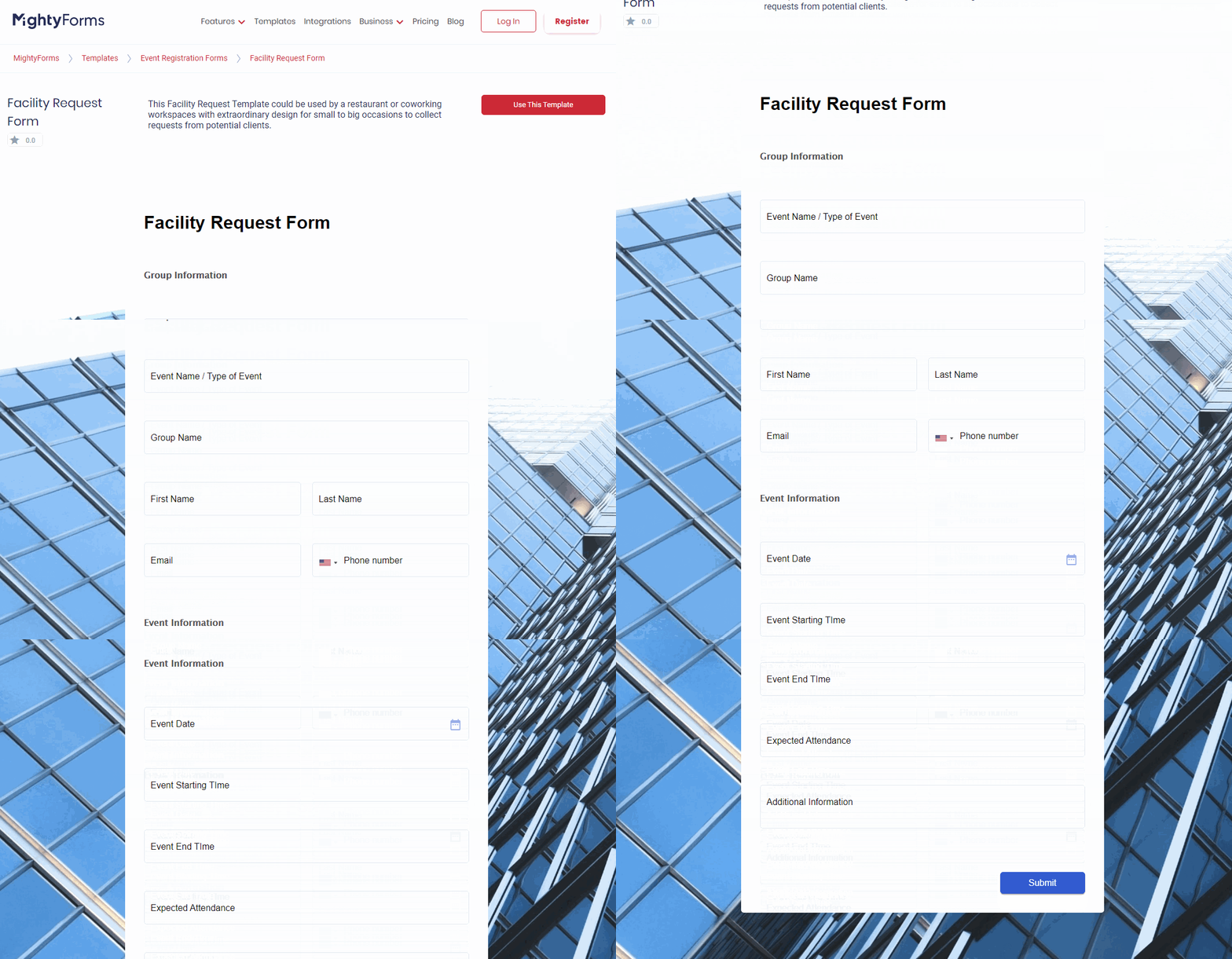
Managing a facility booking calendar will be much easier with this event registration form. Facility managers will be able to establish a simplified and standardized request process. Perfect for facilities with high demand, this template will help you avoid double-booking.
Party Invitation Form
This template is designed for personal or professional gatherings. This event registration form template is an invitation card and an RSVP form all in one! You’ll be able to collect basic contact information and count attendance.
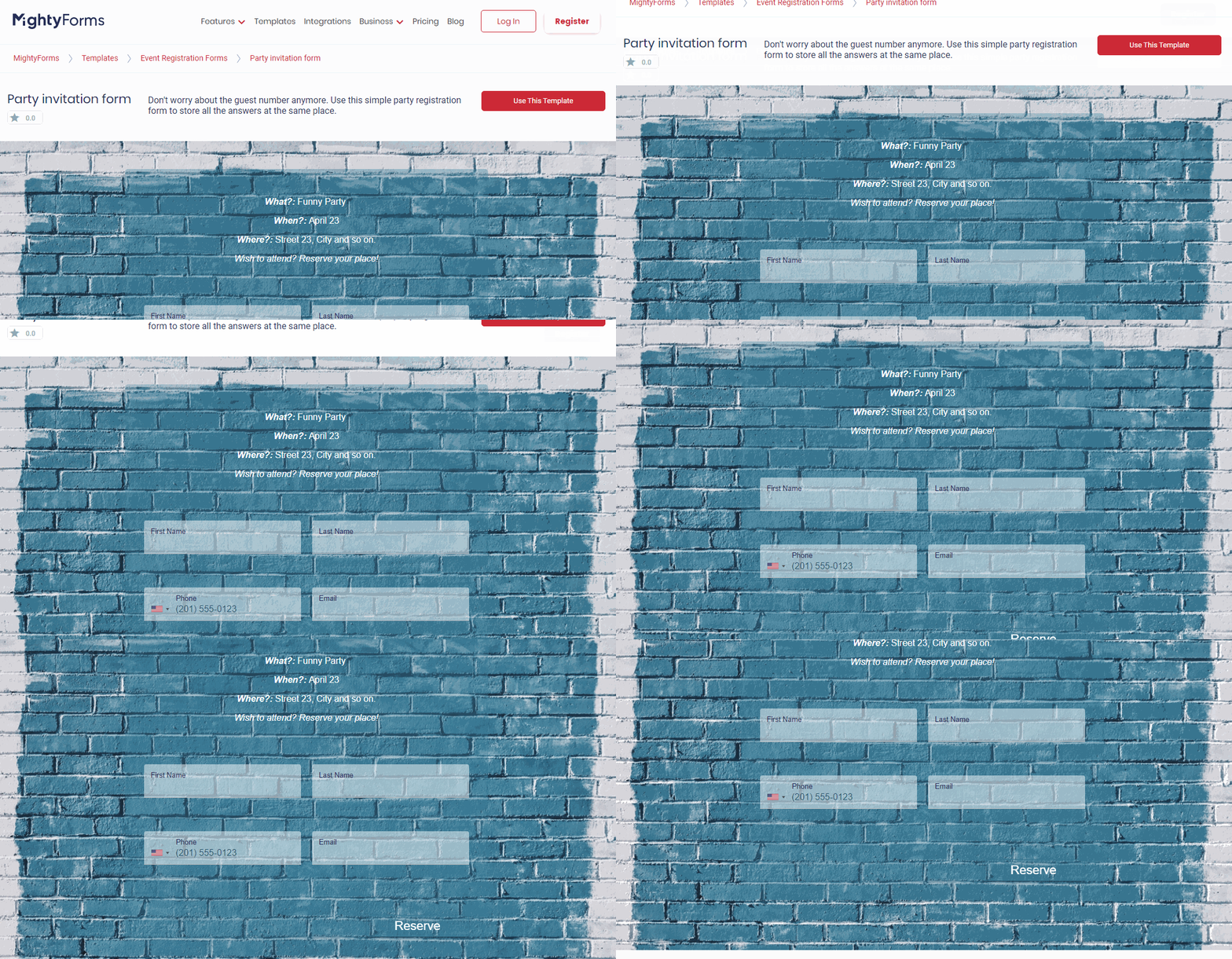
You can share information about the party upfront. You can customize background and font to suit any audience, from children’s party to an adult celebration.
RSVP Form
Establish an online process for RSVPs. This event registration form template is designed for any type of event, industry, or purpose when all you need is a headcount confirmation.
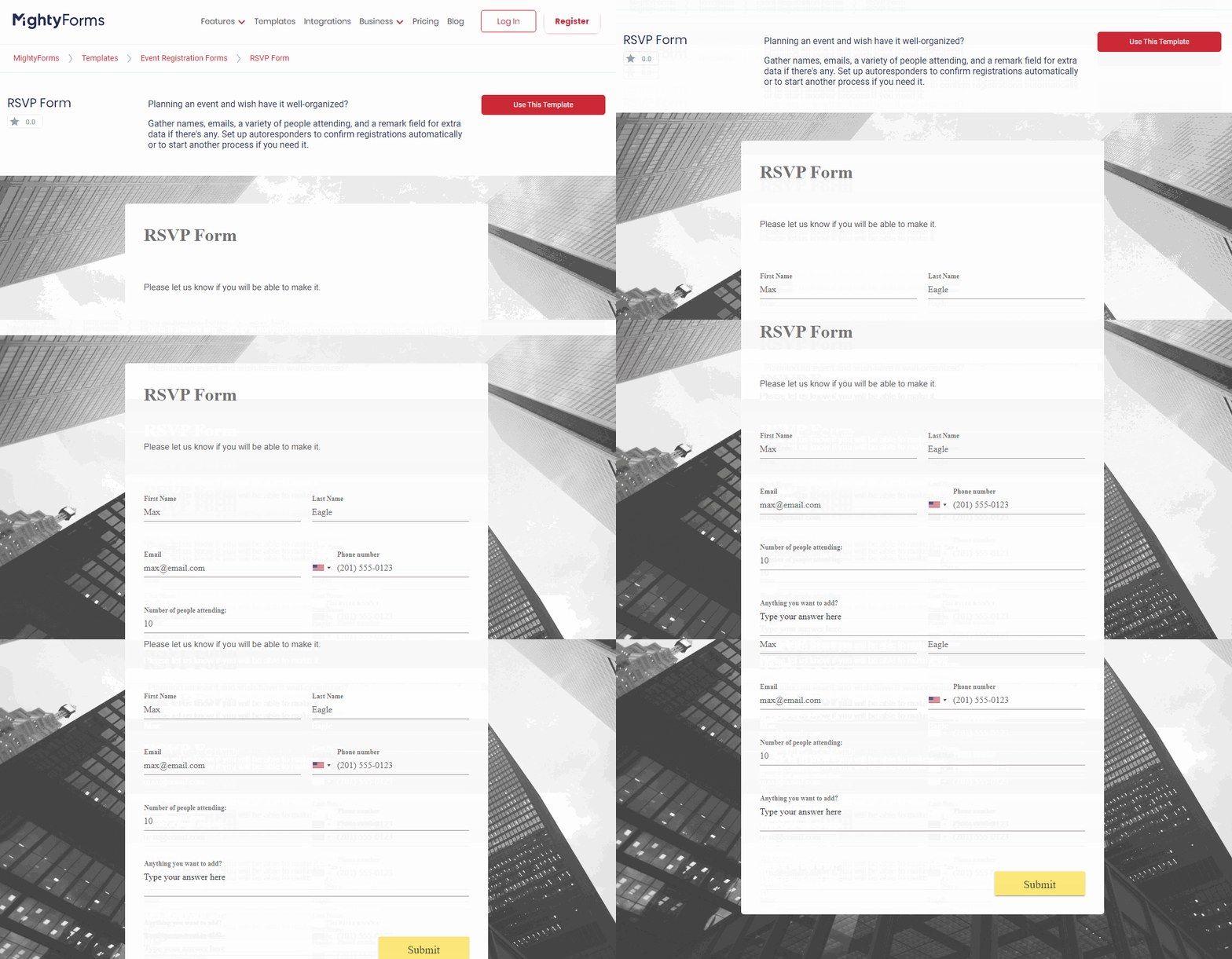
Fields for contact information and attendance will help you to better plan any event. This is recommended as a first approach, when you need to determine a venue, catering, handouts, supporting materials, etc.
Sports Event Registration Form
This template was designed specifically to meet any type of sports event needs. If you’re organizing a running event, race, or a game, this event registration form is built as a multi-step questionnaire using conditional logic.
This form was created to support organizers that must collect detailed information about attendees. You’ll be able to collect contact information, but also, physical condition and athletic experience in order to organize levels of competition.
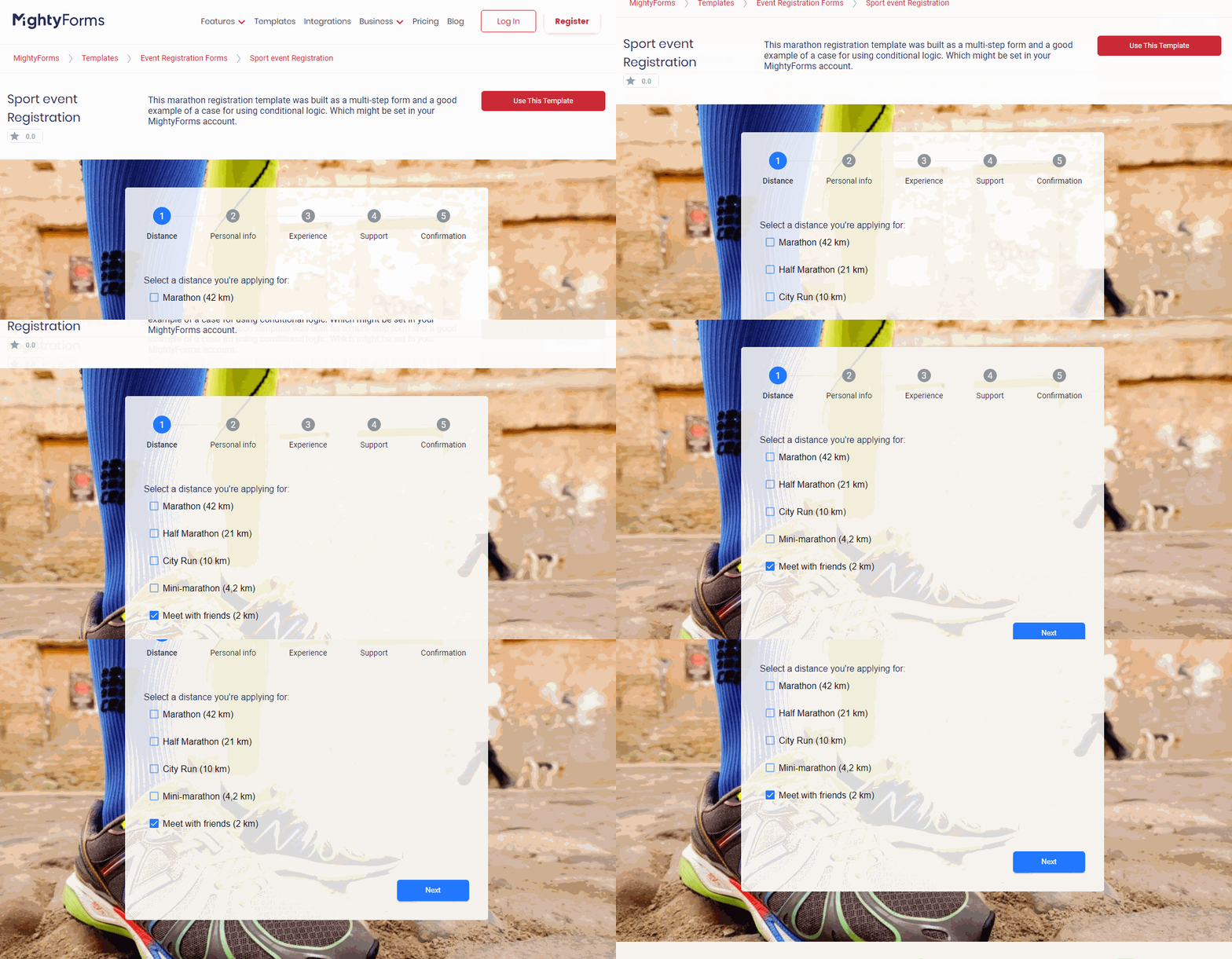
This template also provides a field for Terms & Conditions agreement to protect you from any liability.
FormBuilder Templates Benefits
All of these event registration form templates – or any among the many offered by FormBuilder - are fully customizable.
You can adapt any element of the template to make it your own. Easily add your logo and your images to the background. For recurring events, you can duplicate a form and then edit it for future events.
Once your event registration form is just as you like and need, you can publish it as easy as a click of a button. Embed your newly created form to your website; email it to your mailing list; or even share it on your social media account.
From the FormBuilder dashboard, you’ll be able to track results as they come in. You can export your attendee list to other platforms for further event management.
Best Event Registration Form Examples
For a better understanding of how the magic formula for a winning event registration page looks like, let’s go over some best examples out there.
Bear in mind that such a “formula” must be adapted to your type of business and audience. Therefore, how this formula will be applied to your event registration page is the determining factor to its success.
1. The Guardian’s Masterclass on How To Write Stories For Children
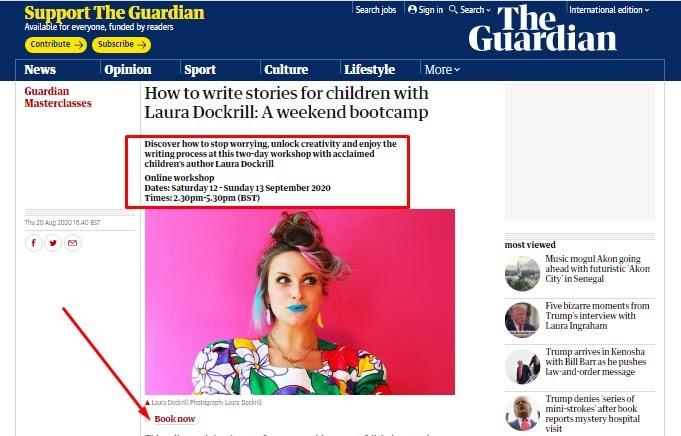
The registration page for this (now past) weekend bootcamp really jumped at you by the clever use of visuals. A bootcamp event on how to write stories for children had to be done in playful and vibrant colors, of course.
But the rest of the page features all of the grown-up best practices techniques. The CTA is placed above the fold and right under the catchy photo.
Key info is given upfront, but a full description of the event, including the agenda comes next. A nice review in quotation marks seals the deal at the end.
2. TED@Work communication training for business
TED Talks is a powerhouse known worldwide. That’s exactly why the page for its business training program (formerly TED Masterclass) follows the same easily recognizable aesthetics, thus building trust and connection to registrants.
The CTA button is very visible and above the fold. The wording “Book a Discovery Call with Our Team” is inviting and it relates to the dialogue style of the business.
A full description of the program, led by TED’s own speaker coaches, comes next, adding the human element.
3. Virtual dance classes by Zumba
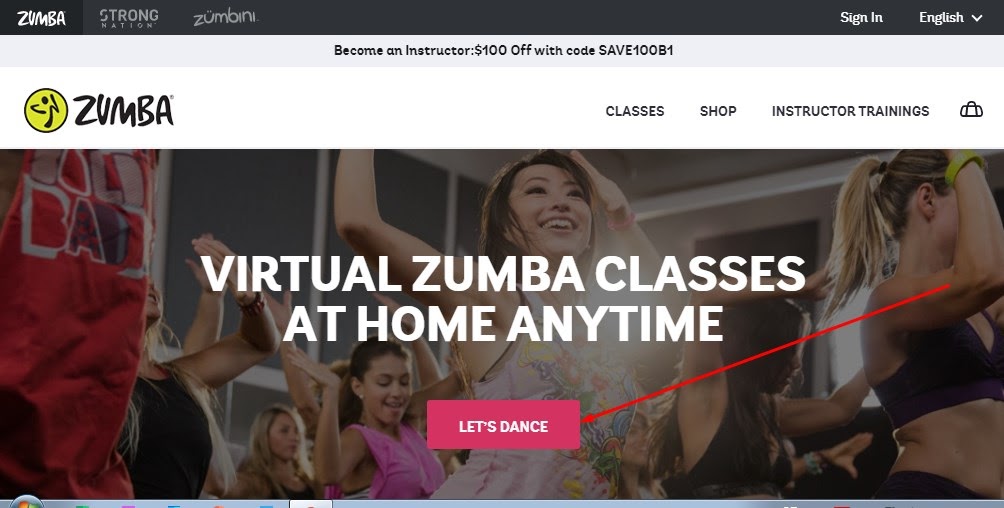
Sometimes an image speaks louder than words. That’s why the value proposition on Zumba’s event registration page is a picture of people dancing and having fun.
Their CTA is also innovative in bright pink and the wording “Let’s Dance” is much more compelling than a “Sign up” button.
Right next, they list the benefits of joining their classes in order to convert viewers. A FAQ section at the end clears any doubts left.
Final Takeaway
Event Registration Forms are the backbone of any event organization. Impress your targeted audience even before the event starts, with a fully responsive, dynamic, and beautiful form. Let FormBuilder event registration form templates work as an event management tool so you can focus on your attendees!